Seesaw - How to Edit People on a Post
These steps are for families using a Home Learning code with their Support Teacher or Case Manager.
If you are using a Home Learning code rather than a Class code to log into your Seesaw portfolio, you will need to toggle to access each child’s Seesaw classes and will not be able to see all your children listed in one class. However, as long as your other children are part of the same class, you are still able to tag multiple children on posts without having to toggle between accounts.
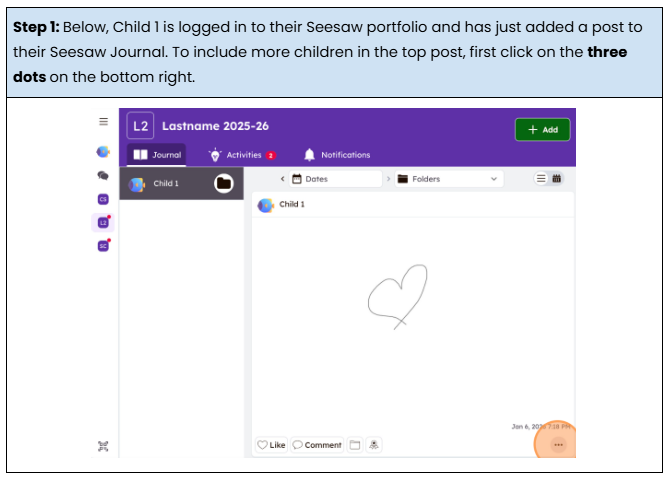
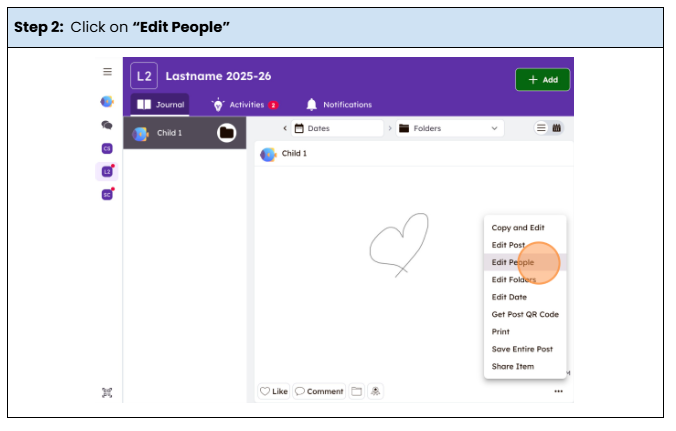
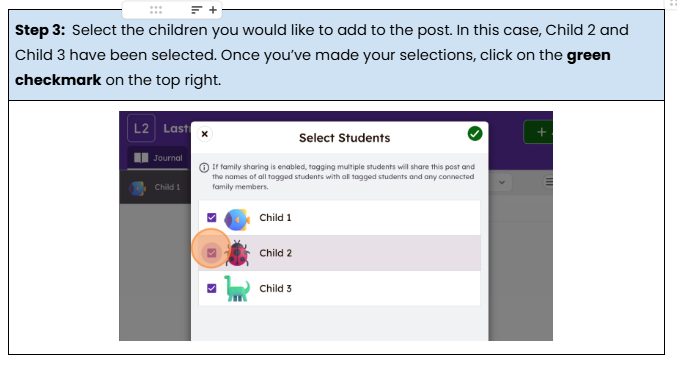
Watch the video Edit People on a Post.mp4 and/or follow the instructions below to see how easy it is to add all your children to a post from one child’s Seesaw account.
NOTE: This will not work for CC/CC+ portfolios.