
Focused Education Resources
Focused Education Resources (K-12), also known as the BC Digital Classroom, is a collection of many resources on one platform.
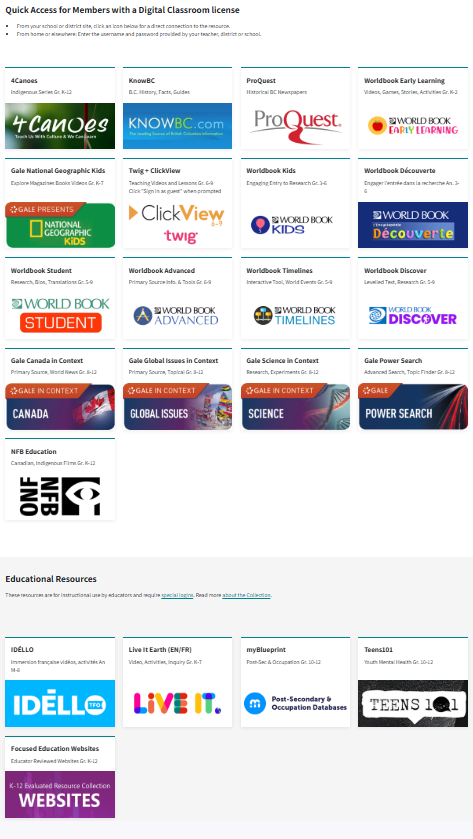
See the available resources below.
Logging In
On Campus
To log in go here.
No username and password are required if you are on campus at Flex Academy. You can move easily between the different BC Digital Classroom resources.
At Home
Log in here.
Scroll down to select the subscription button you wish to access, and a login page will open. You will then enter the username and password found in the Search Portal. (Log in to the Search Portal using your Encom username and password. Select the Subs/Password tab.)
Once you have logged in to a Focused Ed resource, you can move between the resources without signing in again. If you see a login area (especially on Nat Geo Kids), ignore it and scroll down to use the resource.
Navigation & Use
Focused Education, also known as the BC Digital Classroom, contains the resources listed below.
4Canoes (K-Gr. 12)
There are two steps to log in to 4Canoes.
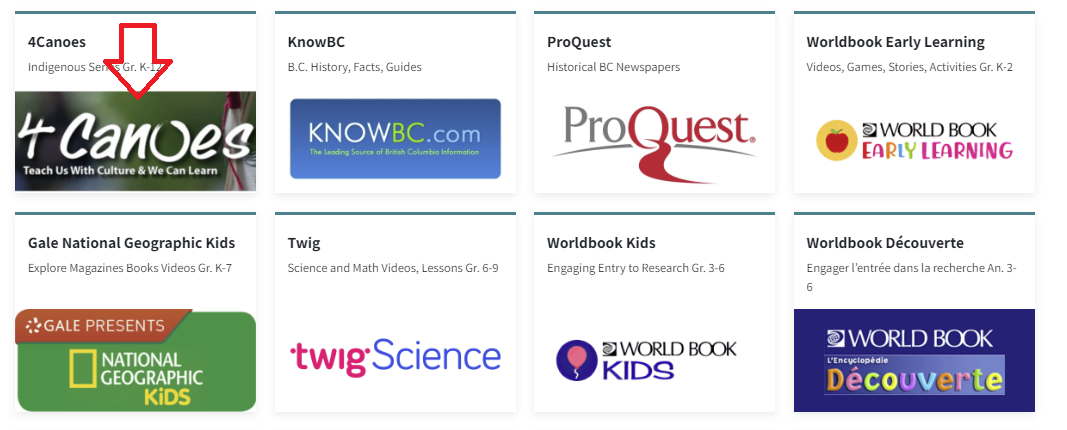
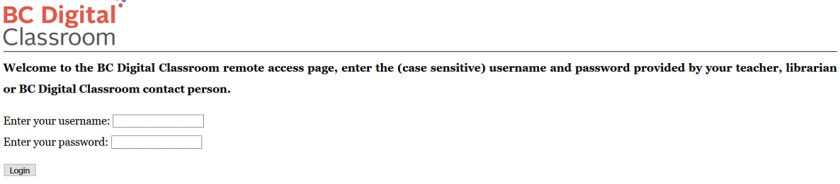
Step 2: Enter the username and password for 4Canoes from the Subs/Passwords tab in the Search Portal.
Navigation & Use
A slider bar or forward arrow underneath the magazine allows you to move quickly from one place to another within the magazine. There is also an arrow in the magazine's middle, far-right, and far-left to turn page by page.
The "Recommended Resources" section at the end of some of the articles will enhance teaching.
The "Kids Fun Zone" has engaging activities for younger children. There are traditional interactive stories and activities to accompany them.
It is possible to purchase the print version of these magazines at a 30% discount from Goodminds.com using the code ERAC.
ClickView & Twig (Gr. 6-9)
ClickView (Gr. 6-9)is a specialized educational video streaming platform designed for middle schools, offering thousands of curriculum-aligned videos, documentaries, and movies for primary and secondary education. It provides teachers with ad-free, high-quality content, interactive video quizzes, and analytics to increase student engagement and support remote or in-class learning.
Twig Science (Grades 6-10) is an interactive science program that immerses students in the exciting world of science and natural phenomena. It has thousands of short videos covering math and science, plus 80+ hands-on experiments. The Twig Science website is accessed through Focused Education Resources and the BC Digital Classroom.
Logging In
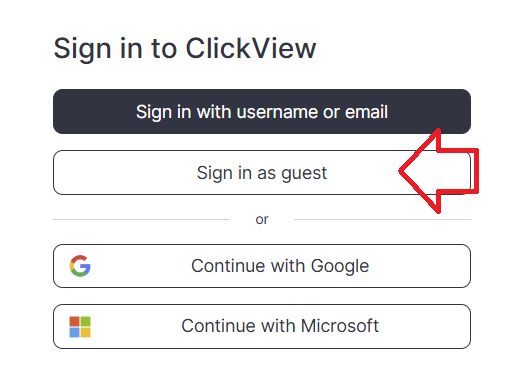
There are three steps to log in to Twig Science.
-
Enter Focused Education here.
-
Scroll down to the "Twig Science" icon and select it.
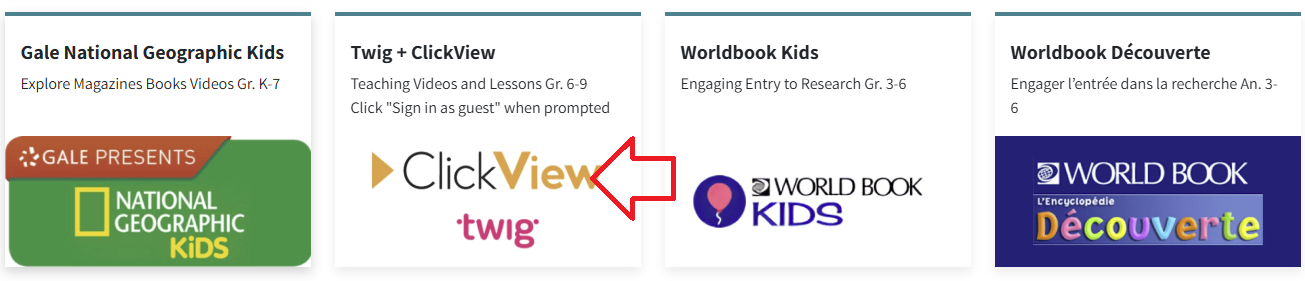
3. Select the "Sign in as a guest" button.
Navigation & Use
Select the video below to watch an overview of Twig Science for grade six.
Using the main menu, users can explore Twig Science resources by subject.

Select the "Find videos" button in the top right corner to access the drop-down menu to select how you would like to use Twig Science.

Mindmaps and Twig Videos
There are many different types of Twig videos available for Science and Math. Select "Mind Maps" from the drop-down menu and select a topic. Each heading branches into more specific headings as you narrow your search.
- Experiment Videos are a series of short videos that show actual experiments in lab conditions. Setup, Method and Analysis are shown, along with real-world applications of the science, all accompanied by extensive learning materials.
- Curriculum Videos get straight to the facts in just three minutes. They are directly linked to core learning, and these videos will fit neatly into your lesson plans. Top tip: These videos sit in the larger circles in the center of each topic Mindmap.
- Context Videos place learning in the real world and show students the relevance of their studies. Twig’s context videos show abstract concepts in action in the real world. Top tip: Context videos sit in smaller circles around the edge of the topic Mindmap.
- Science Glossary Videos contain key scientific terms that are defined in just 60 seconds and reinforce abstract concepts. Top tip: Related glossary videos are in the Glossary tab underneath the video player.
Gale Database (Gr. 8-12)
GALE Cengage Learning (Grades 8–12) is a leading research resource that provides full-text magazine and newspaper articles, as well as content from more than 600 online databases covering current topics. It offers accessibility features such as text-to-speech, voice translation in over 30 languages, Lexile levels for diverse learners, and tools for downloading, sharing, and saving content to Google Classroom and Brightspace.
Find detailed information here.
KnowBC (K-Gr. 12)
Live It Earth (K-Gr. 8)
myBlueprint (Gr. 7-12)
National Film Board (K-Gr.12)
National Geographic Kids (K-Gr. 7)
ProQuest-Historical BC Newspapers (Gr. 8-12)
Teens 101 (Gr. 8-12)
World Book (K-Gr. 12)
The French resource, Idello, is only available to French immersion schools.
Free Security Awareness Lessons for Students
Prepare your students (ages 8-11) to stay safe online now and through the summer months with age-appropriate lessons created by Canadian teachers based on Fortinet’s Seven Cyber Strands.
Correlations and Assessments
Individual Subscriptions from Focused Education may include correlations to the BC curriculum. Check specific SOPHIE pages for information.