# TeachingBooks
TeachingBooks (K-Grade 12) is an online database that enhances children’s and young adult literature with videos, audio, and discussion resources. It includes the following features:
- Meet authors and illustrators with exclusive movies and recordings
- Experience thousands of read-along audiobook performances
- Hear authors pronounce and tell the stories of their names
- Enjoy almost 2,000 complete book recordings
- Explore book trailers, Meet-the-Author recordings, and more
- Support assignments about books and author studies
- Find the right book for you (Reader’s Advisory)
### Logging In
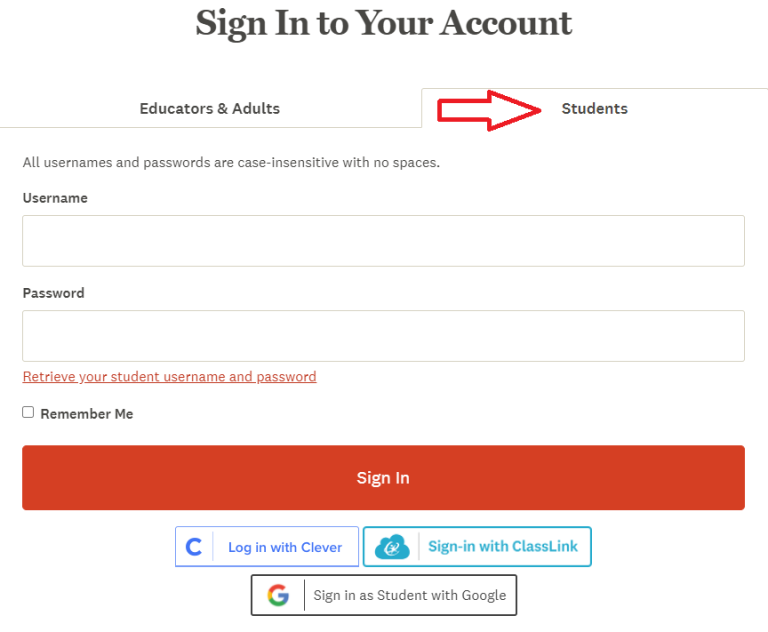
Navigate to [TeachingBooks](https://www.teachingbooks.net/signin.cgi#t_student), then enter the username and password for TeachingBooks from the Subs/Passwords tab in the [Search Portal](https://hcs.insigniails.com/LibrarySAML/Home).
### Navigation & Use
#### On-Demand webinars
Learn all the best practices for Teaching Books from their short [On-Demand webinars.](https://resources.overdrive.com/teachingbooks-presents-growing-readers-early-literacy-support-may-2025/) These can also be found by searching for the word 'webinar' in their search bar.
Search TeachingBooks when logged into our school account, and a Sora logo will appear, displaying titles that are part of our collection. Select the Sora logo to check out your item. Learn more at [TeachingBooks.net/SoraDiscovery](https://school.teachingbooks.net/show.cgi?f=sora_discovery).
TeachingBooks can also be accessed through Sora.
TeachingBooks has an [Early Literacy Toolkit](https://school.teachingbooks.net/show.cgi?f=early_literacy_toolkit) available for parents. These include book suggestions, printables, graphic organizers, instructional supports, timely topics, and ready-to-use ideas.
Digital Escape rooms are a fun way to engage students and enhance learning. Navigate to [Digital Escape Rooms](https://school.teachingbooks.net/tb.cgi?lid=12739), then select a book title from the list. Scroll down to select "Book Guides, Activities, and Lessons." Scroll down to the Digital Escape Room button on the next page.
Games include [Book Cover Jigsaw Puzzles](https://school.teachingbooks.net/jigsawpuzzle.cgi), [Book Description Word Search](https://school.teachingbooks.net/wordsearch.cgi), [Concentration](https://school.teachingbooks.net/wordsearch.cgi), and [Author/Illustrator Name Game](https://school.teachingbooks.net/show.cgi?f=instruct/ANPquiz).
Fluent French and Spanish speakers may wish to use [French Language Resources](https://www.teachingbooks.net/tb.cgi?adv=title&go=1&curriculum=FRN) or [Spanish Language Resources](https://www.teachingbooks.net/tb.cgi?adv=title&go=1&curriculum=SPAN). Please note that these resources are not for French or Spanish language learners.