# Learn360

Learn360 (K-Grade 12) is the ultimate streaming multimedia resource. Users can access 200,000 media resources, including videos, interactives, printables, audio content, maps, flags, and more. It is a powerful tool for blended instruction and project-based learning.

<p class="callout warning">This subscription is not available to HCOS Registered students.</p>

### Logging In

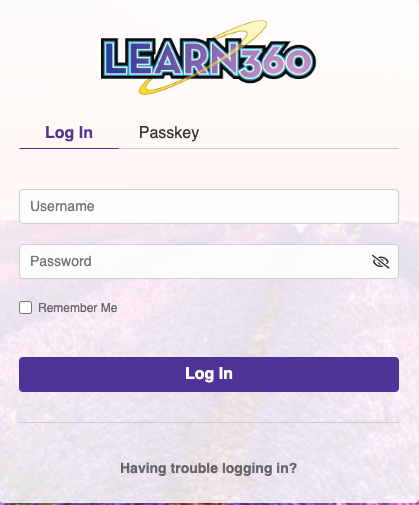
Navigate to [Learn360](https://learn360.infobase.com/login), then enter the username and password for Learn360 from the Subs/Passwords tab in the [Search Portal](https://hcs.insigniails.com/LibrarySAML/Home).

[![image.png](https://sophie.onlineschool.ca/uploads/images/gallery/2024-06/scaled-1680-/nNbimage.png)](https://sophie.onlineschool.ca/uploads/images/gallery/2024-06/nNbimage.png)
<p class="callout info">If you would like to set up a personal student account, contact our Subscriptions Facilitator, Margaret Basaraba, through [Live Chat](https://tawk.to/chat/5f8e1af7f91e4b431ec5d93d/default) on regular school days from 9 am to 3 pm., for the student passkey.</p>

### Navigation &amp; Use

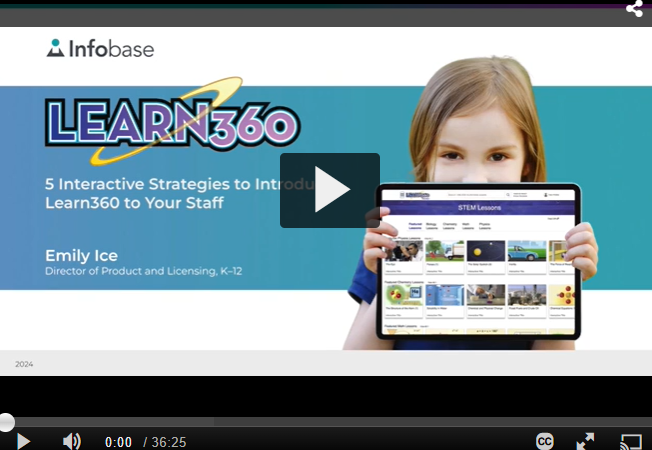
Watch this short instructional video.

[![image.png](https://sophie.onlineschool.ca/uploads/images/gallery/2025-05/scaled-1680-/yvgimage.png)](https://www.youtube.com/results?search_query=learn360+trailer)
When you enter Learn360, you will see the main menu at the top of your screen.

<span id="bkmrk--3" style="font-weight: normal;"><span style="font-size: 18pt; font-family: Poppins, sans-serif; font-weight: 400; font-style: normal; font-variant: normal; white-space-collapse: preserve;"><span style="border-width: initial; border-style: none; display: inline-block; overflow: hidden; width: 624px; height: 116px;">![](https://lh7-us.googleusercontent.com/uYWDbYGpeAX5e8gxnKXE6OqkBIIr5chpSGV_ElKkhqkKbRBj7q7zT_jad85CFwPKnQV2M2-cR3iOXQT6M1OfaeKv3s6ZIl6U6KE68kaoor3LKK3SJDp7sBZiweoyXK0BOhcI-HEdoO-8_Mo8k4GXZas)</span></span></span>

**Topic Centers** pull together many resources found in Learn360 for a given topic.

<span id="bkmrk--5" style="font-weight: normal;"><span style="font-size: 10pt; font-family: Poppins, sans-serif; font-weight: 400; font-style: normal; font-variant: normal; white-space-collapse: preserve;"><span style="border-width: initial; border-style: none; display: inline-block; overflow: hidden; width: 154px; height: 110px;">![](https://lh7-us.googleusercontent.com/uPBegY211gXS2JeR8mDicksDQ-QQUm7kWoh_TXYV3Q9wmbz2Z2GKndQzQ59BD58yMU4rCB-J9_DIgwvIrJleqHNvZHwaOWgafvUW0yIA-_bGjVptr1UE8dlNDfLYnd5oCxLphIIZ8-4SLmOEYZW051Q)</span></span></span>

**Bread crumbs** along the top make it easier to return to previous topics.

<span id="bkmrk--7" style="font-weight: normal;"><span style="font-size: 10pt; font-family: Poppins, sans-serif; font-weight: 400; font-style: normal; font-variant: normal; white-space-collapse: preserve;"><span style="border-width: initial; border-style: none; display: inline-block; overflow: hidden; width: 624px; height: 145px;">![](https://lh7-us.googleusercontent.com/cmvqusdo9knCJptZY6LSHqivkR83P7Tb4EeGhbtDawFBlLcgs9n9pnzarxQd-TxaeV8zvhex2gYmB_-Q443EBJOvaNy-LL0OdsIncl8i7qts3cXOsEvH62AIaYGnVf_N7Sdxl86jl67AHQQ7VgfDEp8)</span></span></span>

You can simplify your search by selecting the hamburger menu (three lines) to the left of the Learn360 logo and selecting a grade range. Learn360 will use this grade range to filter as you search for new topics.

<span id="bkmrk--9" style="font-weight: normal;"><span style="font-size: 10pt; font-family: Poppins, sans-serif; font-weight: 400; font-style: normal; font-variant: normal; white-space-collapse: preserve;"><span style="border-width: initial; border-style: none; display: inline-block; overflow: hidden; width: 387px; height: 305px;">![](https://lh7-us.googleusercontent.com/aVkOFsgNqFEhmrutHAmGHd2oqof7w1bh07Y-oC8AhQgR89FkFiIEkgLz42yrfBj5BPUoBVM_XLtoDoi5rRQXR-M3C4PLnmwasBFmZ97hlJoVhDZEAi23qoWjEll2tK96R8iDZR2K_4AjcvxTB7MDJwI)</span></span></span>

You can save research information by selecting the icon next to “Hi Heritage” and then selecting “My Content” from the drop-down menu. Create a folder, give it a title, and save your items in the folder.

<span id="bkmrk--11" style="font-weight: normal;"><span style="font-size: 10pt; font-family: Poppins, sans-serif; font-weight: 400; font-style: normal; font-variant: normal; white-space-collapse: preserve;"><span style="border-width: initial; border-style: none; display: inline-block; overflow: hidden; width: 231px; height: 301px;">![](https://lh7-us.googleusercontent.com/Fwzp8_GAq22zXecCJGT0BYmayKyuTwwiMWO74O3-PDGVI7B2oPcZuy936d3FKLndm5nZ08kPUAhQaSowmyhgwuU_Md1CJWPnJ1zUM6bdlpL7npkgR_e3UMXePa1KVHyEBQpeOo8OKna0TOm4rRNgBa0)</span></span></span>

Select the Learn360 logo to return to the home page.

<span id="bkmrk--13" style="font-weight: normal;"><span style="font-size: 18pt; font-family: Poppins, sans-serif; font-weight: 400; font-style: normal; font-variant: normal; white-space-collapse: preserve;"><span style="border-width: initial; border-style: none; display: inline-block; overflow: hidden; width: 466px; height: 153px;">![](https://lh7-us.googleusercontent.com/vFOFtFlZ-Eq8z9vM7CbldQK9252EY_Dm6wtW9aUiSj4035m6yIGMG2-v4sAJD_CvvMK5b9x8PchJZ1oDnppcjXniS4DZotN0vN1SBX_Vs5W9h40YiiirQqj_QR2-CdwhUABupxnxIjPVlnlqgnFPrkM)</span></span></span>