| HCOS Enrolled and Flex | HCOS Registered | |
|---|---|---|
| Digital Unit Study Kits | ✅ | ✅ |
| Inclusive Education General Collection books | ✅ | ✅ |
| Curriculum | ✅ | ✅ |
| Grades 10-12 Extended Loan Textbooks | ✅ | ❌ |
| Robots | ✅ | ❌ |
| ADST/STEAM Resources\* | ✅ | ❌ |
| Supplemental Packs\*\* | ✅ | ❌ |
| Inclusive Education Support Material | ✅ | ❌ |
| Individualized Course Extended Loan Textbooks | ✅ | ❌ |
| Susan Barton Material | ✅ | ❌ |
| Microscopes | ✅ | ❌ |
| Physical Unit Study Kits | ✅ | ❌ |
Changing your password in Encom will also change your password for the Learning Commons Search Portal, so please keep track of your login information. It takes up to 24 hours for the credentials to update.
##### Students Students use their Encom username and password to access Sora eBooks and Subscription passwords. They cannot book physical items from the [Search Portal](https://hcs.insigniails.com/LibrarySAML/Home), but they can view them. Bookings must be made on the parent account. If you do not know your Encom password, you can reset it [here](https://encom.onlineschool.ca/public/forgotten-password).  #### Loan Periods & Booking Limits The default loan period for most items is **13 weeks**, excluding shipping time. Grade 10-12 extended loan textbooks are loaned until June, with the option to renew for 1 month. Items can be booked up to a year in advance (September to June), and families receive 3 free round-trip shipments per year. Overlapping bookings are not allowed if they exceed 40 items within the 13-week loan period. Back-to-back bookings of the same items are not allowed. Items can be renewed twice for 4 weeks each time, provided they have not been booked by someone else.| Item Circ Type | Loan Limit | Loan Period |
| CD/DVD/CD-Rom | 4 | 13 Week(s) |
| Curriculum | 30 | 13 Week(s) |
| Kits | 6 | 13 Week(s) |
| MakerEd Family | 4 | 13 Week(s) |
| Mini Kits | 2 | 13 Week(s) |
| Christian NonFiction/Fiction | 10 | 13 Week(s) |
| Reader Pen C Pen | 2 | 8 Month(s) |
| S-KIT | 10 | 13 Week(s) |
| Inclusive Education | 10 | 13 Week(s) |
| Inclusive Ed Packs | 10 | 13 Week(s) |
| Susan Barton | 4 | 8 Month(s) |
| Textbooks | 8 | 8 Month(s) |
| Thumb Drive | 1 | 13 Week(s) |
Please contact Kelly Wiebe with any shipping questions: [kelly.wiebe@onlineschool.ca](mailto:shipping@onlineschool.ca)
#### Fines Fines are charged for lost or damaged items. Overdue fines are charged for kits. The fine can be paid with student funding or invoiced via PayPal. Avoid fines by: - Keeping kit items together in one area. Ensure the kit bag is not damaged or forgotten when preparing the return shipment - Check all kits for books and items as soon as you receive them. Contact us if anything is missing or damaged. - Prepare packages properly for shipping. Poorly packaged items result in damage!Items borrowed from HCOS should not be shared with other registered or enrolled families within HCOS. These materials are specifically for HCOS families. You are responsible for the replacement costs of all items signed out under your account, regardless of how they are lost or damaged, except in cases involving courier issues
# How to Search Learn how to search for course materials, extended loan textbooks, maker education, physical unit study kits and more! This video is a visual walkthrough of using the search features in the Search Portal. You can use the timestamps to navigate to specific topics. Alternatively, if you prefer, there are written instructions with screenshots below the video. - 0:00-1:04 Search Portal homepage overview - 1:05-1:17 Downloading resources - 1:18-1:28 Grade 10-12 course textbooks - 1:29-1:35 Subscription links - 1:36-2:02 Using the search bar - 2:03-2:23 Refining searches - 2:24-3:03 Subscriptions, databases, and external websites - 3:04-3:38 Searching by topic - 3:39-4:01 Searching by grade - 4:02-4:18 Searching by series - 4:19-4:50 Advanced search ### Searching for Resources #### Using the Search Bar To search for an item, use the Search drop-down menu. The default search is by Keyword, but you can search by Title, Author, Subject, Series, etc. There is also an "Advanced" search feature. 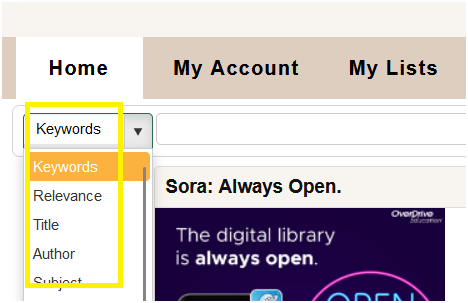 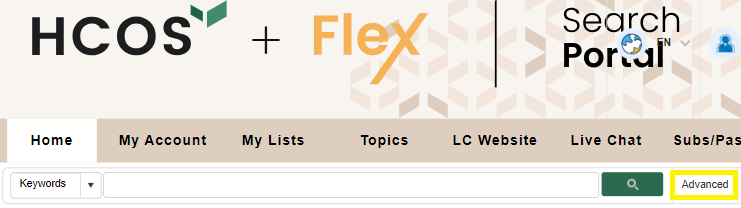 You will see how many results were returned once you enter a term in the search bar. Use the “Refine Your Search” options in the left column to limit your results by Material Type, Audience, Author, and Series. The “+” sign adds further options to refine your search. Check the boxes you want to refine by, such as Books or Kits, then click on the "Refresh" button to see the refined search. 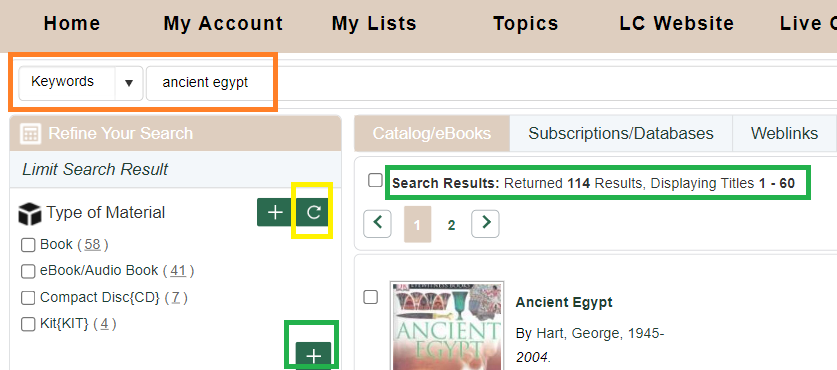 #### Searching by Topics to find Textbooks, Unit Study Kits and other Resources ##### Topics Click “Topics” in the menu bar . 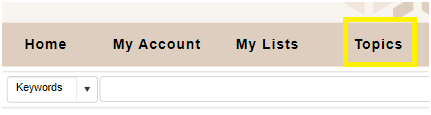 Topics are sorted by **subject** and **grade**, making it easy to find relevant materials. 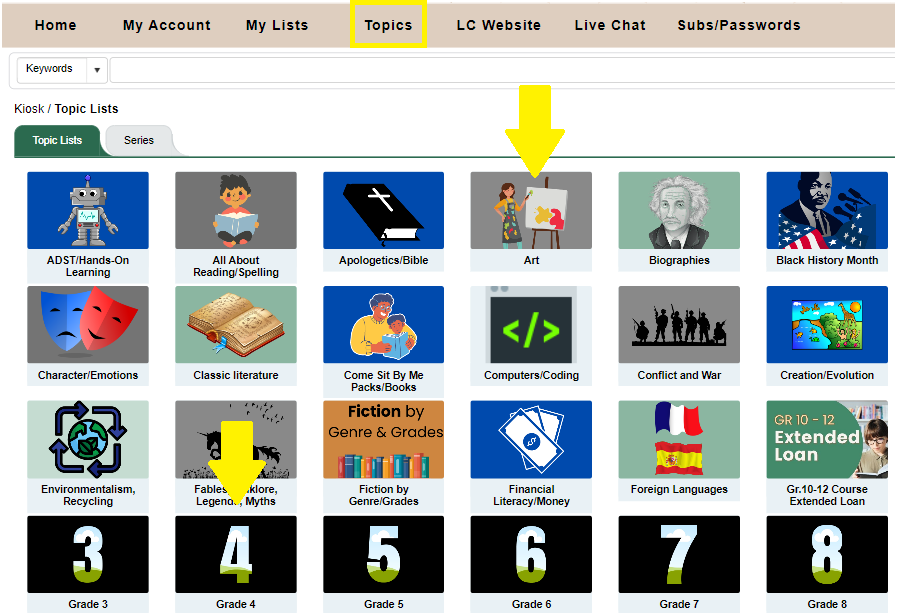 ##### Course materials and Textbooks Click on the applicable topic. [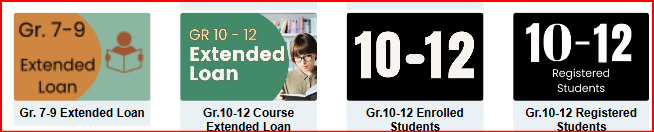](https://sophie.onlineschool.ca/uploads/images/gallery/2025-02/v5yimage.png) ##### Unit Study Kits To borrow Unit Study Kits, begin by selecting the Topic Lists menu:  Then, select Unit Study Kits: [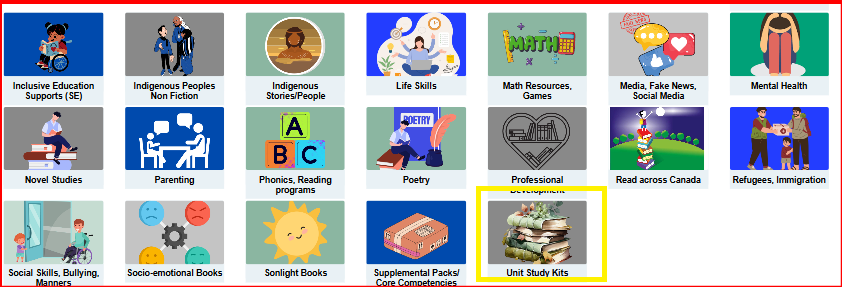](https://sophie.onlineschool.ca/uploads/images/gallery/2025-02/0xKimage.png) These kits can be found both in the main Topics list and also within each grade level.Registered Families can only access the Digital Unit Study Kit Guides online.
# Booking Items This video is a visual walkthrough of how to book items in the Search Portal. You can use the timestamps to navigate to specific topics. Alternatively, if you prefer, there are written instructions with screenshots below the video. \*Note: **Loan Period has changed to 13 weeks**; Enrolled patrons receive 3 shipments per year. - 0:00-1:11 Searching for resources and refining results - 1:12-1:32 Viewing the availability of an item - 1:33-2:03 Determining shipping and loan periods - 2:04-2:18 Finding your shipping zone - 2:19-2:48 Adding items to a list to book later - 2:49-3:37 Booking multiple items for one date - 3:38-4:49 Viewing due dates and renewing loaned items - 4:50-6:44 Shipping multiple items on the same date - 6:45-8:29 Reviewing future bookings - 8:30-9:05 Cancelling future bookings - 9:06-10:36 Booking items for extended loans - 10:37-10:58 Viewing future shipping dates for items out on loan ## ### Booking Resources Click on a record to see the details. Click directly on the title to be taken to the Title Details page to book the item. The Title Record will show how many copies are available and the due date if it is already out. You can save the item to a list if you don’t want to book just one item at a time or save it to book later. **Even if an item is OUT or on HOLD, you can still book it for future dates**. Make the most of your free shipments! Due to shipping costs, there is a minimum order of 5 items, some of which must be curricular (not just novels). Textbooks and larger items are the exception. 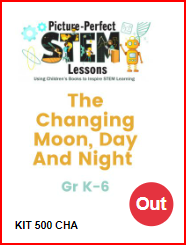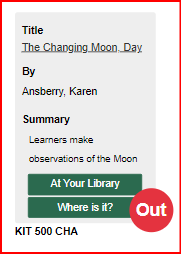 [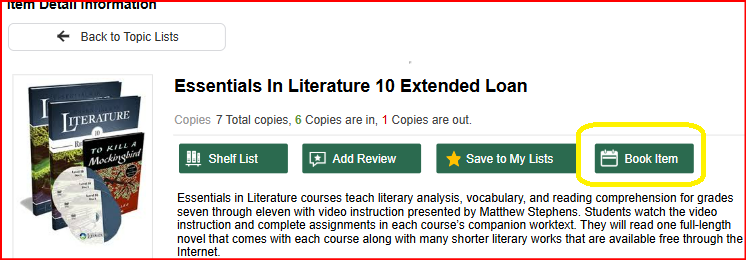](https://sophie.onlineschool.ca/uploads/images/gallery/2025-02/U26image.png) #### Determining Shipping and Loan Periods When you click "Book Item," a calendar will appear. You will see your unique shipping “Site” on the top right. In this example, the patron is HCOS5, which means they are five shipping days from Kelowna. The small **red **numbers indicate how many copies are available each day. Be sure to choose a date that allows the number of shipping days before you want to receive your items. The system will automatically change your date for the correct number of shipping days. Ensure that the item is available for the 13-week loan period. Do not book back-to-back bookings on items. These will be deleted to ensure access to all patrons. Extended loan resources can be booked for up to eight months. Patrons are unable to book items for shorter periods on their own. If you want an item that is available for a shorter loan period, please contact the Learning Commons team, and they can assist with the booking. This may impact the number of shipments for the year. 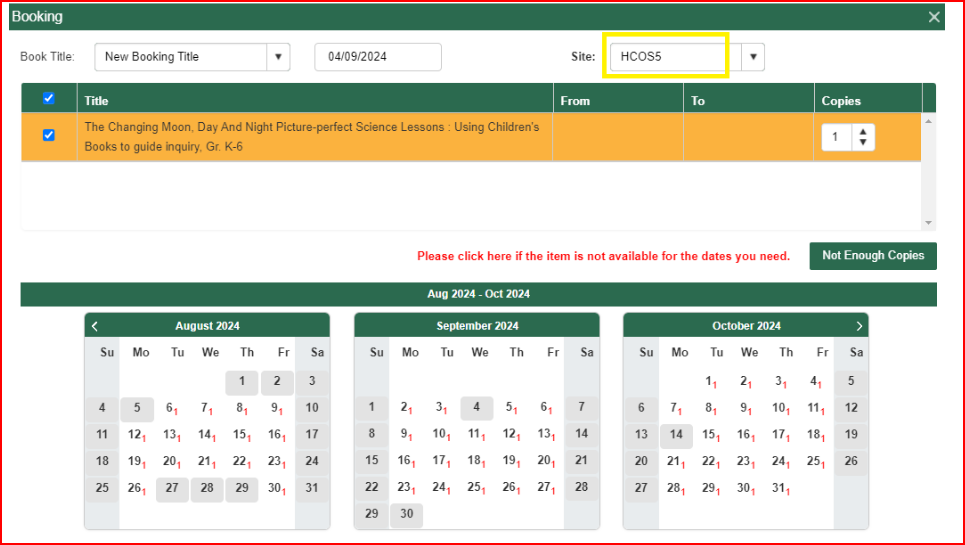 Click on the day you want to receive the item. In this example, August 13 was chosen. Items are loaned for thirteen weeks, not including shipping. The calendar now shows the entire booking period. Shipping days are highlighted in dark orange on the calendar (weekends/holidays are not counted as shipping days, so seven shipping days are shown for the HCOS5 zone). The requested date is August 6. When you are ready, click “Book Items.” A pop-up will confirm if your booking was successful, and you will receive a confirmation email. 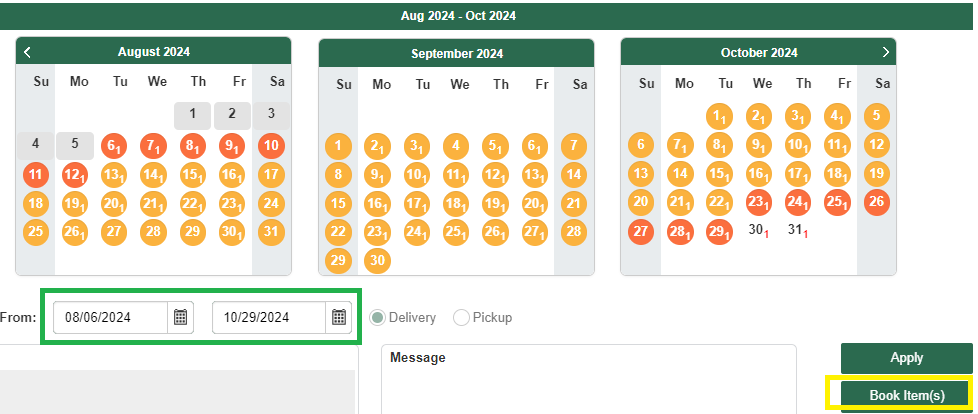You can view due dates, renew, change dates or cancel items online. Please cancel items if your plans change so other families can use the materials.
#### Booking Multiple Items for One Date Add an item to My Lists by clicking the Save to My Lists button. A pop-up will ask you to create a New Favorite Title. Use dates of shipments or subjects as titles. You can search multiple subjects and add resources to your lists by creating different Titles. 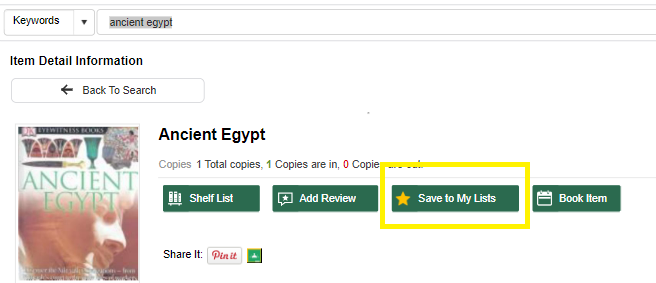 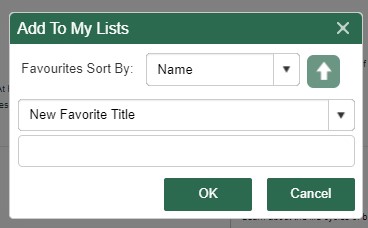 Once you have added all the books to your lists, click the My Lists icon in the menu. You will see all of your lists in the left column. 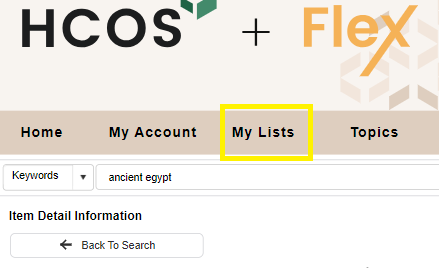 Use the List view icon in the top right corner and book all items for the same date by clicking the “Book Items” button at the top right of the page. If you are in grid view, click the checkboxes for each item you want to book, then click Book Items. Choose a date on the calendar and click Book Items. A pop-up will confirm your bookings. 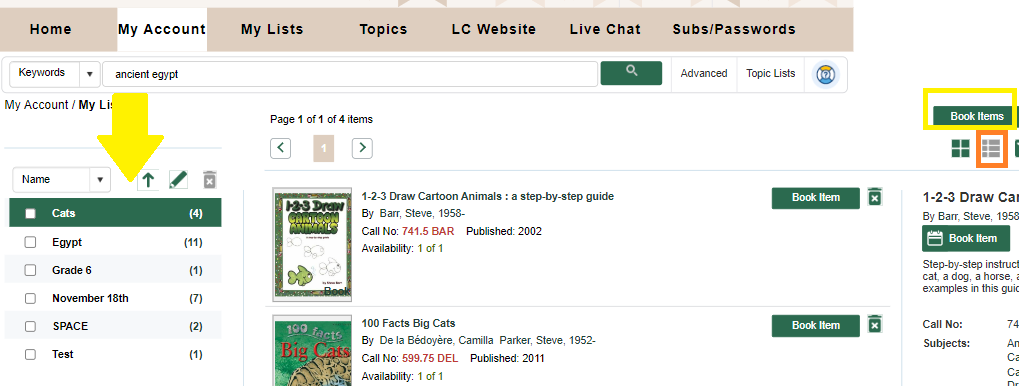Any items unavailable for your original date will not be booked. Check your Future Bookings list to ensure all items have the same loan period, and cancel any items you do not want. This will avoid using one of your free shipments! Any items that did not book can be booked for a different date if available.
#### Viewing Due Dates and Renewing Items Hover over the “My Account” icon, then “My Borrowing,” and select “My Loans.” View the due dates. 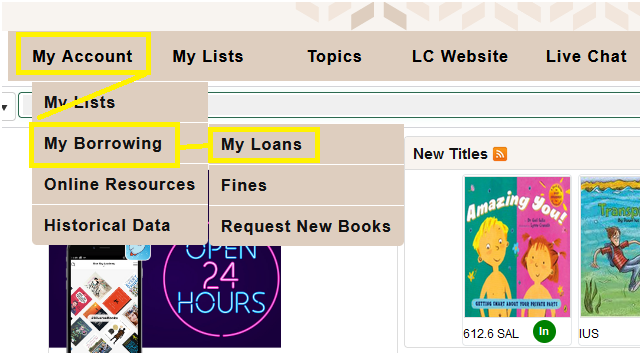 Renew one item by clicking the check box on the left or renew all items by clicking "Select All" and then the "Renew" button. The renewal period is four weeks. Items booked by another patron will not renew. **Renew books no sooner than 1 - 2 weeks before they are due, or your loan period will be shortened.** 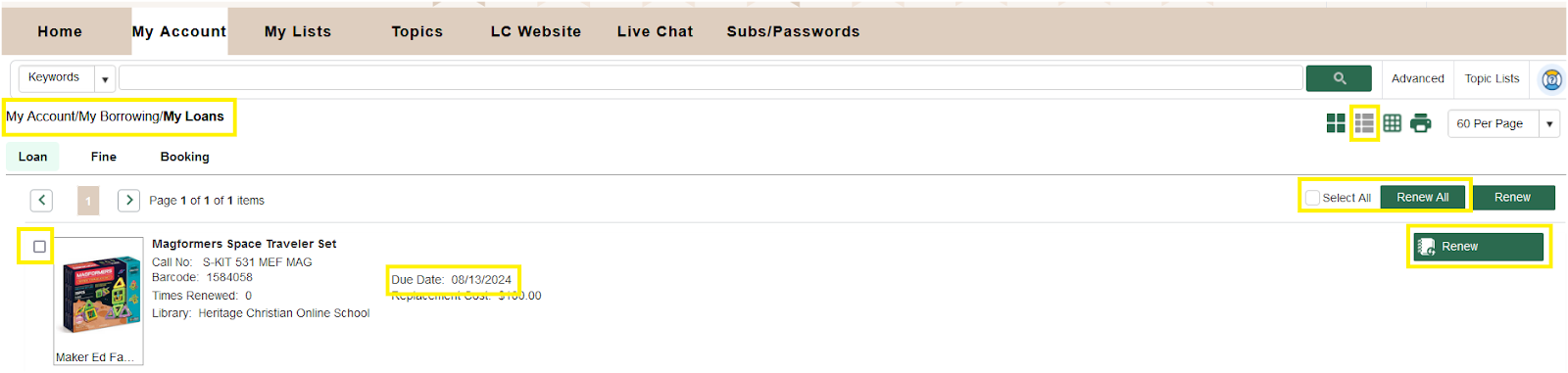 #### View all of your Bookings for the Year, Cancel or Change Booking Date ## Hover over “My Account,” then “My Borrowing,” and then select “Future Booking.” [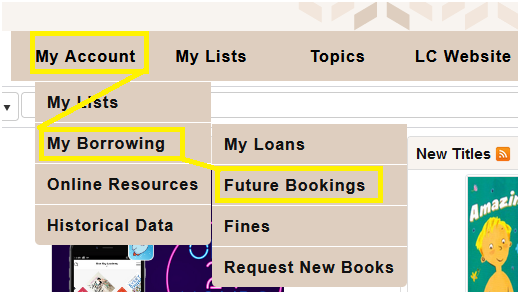](https://sophie.onlineschool.ca/uploads/images/gallery/2025-02/future-bookings.jpg) In the list view you will see: 1. The booking loan period with Shipping to and from days," 2. The Cancel button - click to cancel your booking 3. Edit Booking button - click to change your date If you are in Grid View, hover over the item record, and the "Cancel" and "Edit" buttons will appear. [](https://sophie.onlineschool.ca/uploads/images/gallery/2025-02/FWcimage.png) # Shipping Procedures ### Change of Address If you plan to move or have moved, please update your address in Encom and email Kelly Wiebe at [kelly.wiebe@onlineschool.ca](mailto:shipping@onlineschool.ca) with the new address so information can be updated.If you do not update the Learning Commons with a change of address and a shipment is sent to the wrong address, you will be charged for shipping fees and any lost items.
### Shipping Outside of Canada The Learning Commons does not ship physical items outside of Canada due to shipping costs, limitations of loan periods, and a higher risk of damaged and lost items. Families who are travelling can access our online resources.Before booking Learning Commons resources, please review our **[Loan Periods & Booking Limits](https://sophie.onlineschool.ca/books/learning-commons-for-families/page/getting-started-cvJ)** for information about loan lengths, shipment allowances, item limits, renewals, and booking guidelines.
### Receiving Packages - KEEP the box/packages and all other packing materials for when you return the items. - Check KITS for missing items; emailArrange a courier pick up or prepaid return by connecting with Kelly Wiebe: 778-721-8309 [kelly.wiebe@onlineschool.ca](mailto:shipping@onlineschool.ca) Monday - Thursday.
**Please follow all instructions included in your shipment. Every shipment is different. Proper packaging will reduce damage to books and other items.** - Due Dates: The due date is the date the item must arrive back in the Learning Commons. You must ship your package several days before the due date, depending on your shipping zone. - The shipping instructions are included with every package. You will need to contact Kelly or Jen several days before the item is due to arrange shipping. The time period is noted on your shipping instructions and is dependent on the shipping zone you are in and the method, (courier or Canada Post), of shipping. Returning Multiple Boxes/Packages - Please put all items into ONE box/package, or tape packages together if they are compatible in size. This saves on shipping costs. (One white Tyvek bag can hold 2 or more kits). - Please do not tape boxes together if you return items via Canada Post. **If you have more than one box/package which cannot be put into one, let us know immediately how many boxes you will be returning before the pick-up is issued. If a shipment includes 2 or more boxes, the driver is only permitted to pick up ONE if that is what is requested.** Tips for returning items: - Items must be packaged in boxes or Tyvek envelopes (save the packaging in which the items were sent!) - Please don’t use paper envelopes as they rip too easily. - Items damaged due to poor packaging will be billed to your account. - Families are responsible for paying for postage to return DVDs, CDs, and small items that can be mailed if they cannot be returned with a larger shipment. ### Local Patrons Patrons living in Kelowna, Lake Country, and West Kelowna need to pick up their items from the Learning Commons. Locals can book items for shorter periods since there is no shipping time involved. Please contact Library Administrator Shandra Wiebe (