# Learning Groups

# Mission, Values and Vision

<div id="bkmrk-"></div>##### **[![Updated Values.jpg](https://sophie.onlineschool.ca/uploads/images/gallery/2026-04/updated-values.jpg)](https://onlineschool.ca/about-us/our-mission-values/)Our Mission Statement:**

To develop innovative, Christ-centred educational opportunities for learners to explore and embrace God's unique purpose.

##### **Our Values** 

**Academic Success - Engaged Lifelong Learner**<span style="font-size: 11.0pt; font-family: 'Arial',sans-serif; color: black;">  
</span>We aim to inspire every member of our community to be passionate learners who reach towards their personal best while continually seeking opportunities to grow.

**Integrity - Authentic Christ Followers** We believe wholeness is found in Christ. Our desire is for people to walk in the fullness of an authentic relationship with Christ within a supportive community that prays together, challenges each other, and shares life together.

**Relationship - Intentional Supportive Community**  
We commit to creating meaningful spaces where we can connect, learn, and pray together, encouraging one another, and growing strong, supportive educational partnerships along the way.

**Flexibility - Personalized Learning Choices**  
We design learning experiences that are flexible and tailored, empowering individuals and communities to pursue knowledge in ways that best fit their needs and aspirations. This commitment inspires us to cultivate innovative opportunities that honour diversity in learning.

**Generosity- Serving With Joy**   
We desire to respond to God’s abundance with gratitude, cultivating courageous generosity as an expression of trust. This generosity flows through service offered with authentic joy, humility, and compassion.

##### [![screenshot-vision2025.jpg](https://sophie.onlineschool.ca/uploads/images/gallery/2025-10/VThscreenshot-vision2025.jpg)](https://sophie.onlineschool.ca/attachments/49)**Our Vision Statements:**

The vision statements below outline the current and future objectives of HCOS. They are intended as a guide to support future strategic planning, by addressing what we aim to do and hope to become as a school. Each Vision Statement is focused on our relationship to or development of the following areas:

**Students** We aim to guide our students on their personalized, Christ-centred educational  
journey with an array of opportunities to know and be known.

**Parents** We aim to partner with parents, equipping them in each student’s educational journey  
by providing support within our comprehensive educational ecosystem.

**Educators and Staff** We aim to inspire, equip, and empower educators and staff to continually grow and  
pursue diverse opportunities with consistent, supportive accountability in a culture of  
engaged excellence.

**Curriculum and Programs** We aim to develop world-class resources and provide thriving, sustainable, and  
innovative programs that anticipate and meet the changing needs of our community.

**Other Schools** We aim to be a leading collaborative influence to improve the reputation of IOL through mutually supportive relationships rooted in informed perceptions.

**External Networks** We aim to be innovative leaders in transforming education, generously sharing the  
resources God has entrusted to us and positively impacting personalized learning  
worldwide.

**Service and Outreach** We aim to create communities of learning and belonging, engaging with local and  
global communities to serve and be transformed in Christ’s love.

# FAQ- General Questions

#### I am an HCOS Registered Student. How does that affect my participation in LG opportunities?

As a Registered Homeschooler with HCOS you have access to all of our Learning Camp opportunities throughout the province. HCOS Homeschoolers are eligible for Heritage Enrolled Community pricing; however, in some instances HCOS Registered Homeschoolers pay the same fee as General Community Students. For more information, contact [Claire Pollok](mailto:cpollok@onlineschool.ca).

#### How do I volunteer with a Learning Group?

We require all staff and volunteers working with students to have a Criminal Record Check clearance letter on file with us prior to the event/class. You can contact us at any time to get this on file; it sometimes takes a bit of time to process. Please complete the [LG Volunteer CRC Information](https://forms.kccnet.ca/view.php?id=573283) form and proceed as per the instructions that will be emailed to you. Please note that we are not able to accept CRC Clearance from RCMP.

#### What is the difference between Learning Camps, Community Connections and Community Connections Plus?

- Learning Camps are single-day or short-term activities, such as a field trip or workshop.
- Community Connections are weekly half or full-day opportunities throughout the school year. These multi-term classes offer a campus-style environment while maintaining a home education flavour.
- Community Connections Plus classes run weekly for 30 weeks, where HCOS instructors fully teach and assess that subject, reporting in Encom.
- Please visit our SOPHIE page on [Types of Learning Groups Opportunities](https://sophie.onlineschool.ca/books/information-for-families/page/types-of-learning-groups-opportunities) for more information

#### I am not a student with Heritage. Can I participate in the Learning Group Opportunities?

Absolutely! While priority does go to Heritage Students, unless a <span style="text-decoration: underline;">Learning Camp</span> is specifically noted as Heritage Community only, students from General Community schools are welcome to join us. To participate at <span style="text-decoration: underline;">Community Connections</span> or an<span style="text-decoration: underline;"> overnight Learning Camp</span>, students must be HCOS Enrolled.

HCOS reviews external applications on a case-by-case basis to determine if the program is conducive to student success. Contact LG admin for further information.

#### Why are there different fees for Heritage Students and General Community Students?

Heritage subsidizes its students through fee reductions and the staff required to oversee and administer Learning Groups. General Community students are not subsidized by Heritage, and therefore, their cost for an event is higher to reflect the actual cost of the event.

#### What opportunities are traditionally offered?

Please visit our [Year at a Glance calendar grid](https://docs.google.com/spreadsheets/d/1vCqja1Gu_FSBoRDBaddrgkWYyRUn2bz0ZunPtWMq0JU/edit?usp=sharing) for an overview of all LG offerings to date this year.

#### I have another question not listed here. Who can I contact?

Please send any questions and concerns regarding a Learning Group activity to <lg@onlineschool.ca>, noting which LG opportunity you’re inquiring about. One of our team members will be happy to assist you.

# FAQ- Applications

#### You’ve applied for an LG event. What’s the next step?

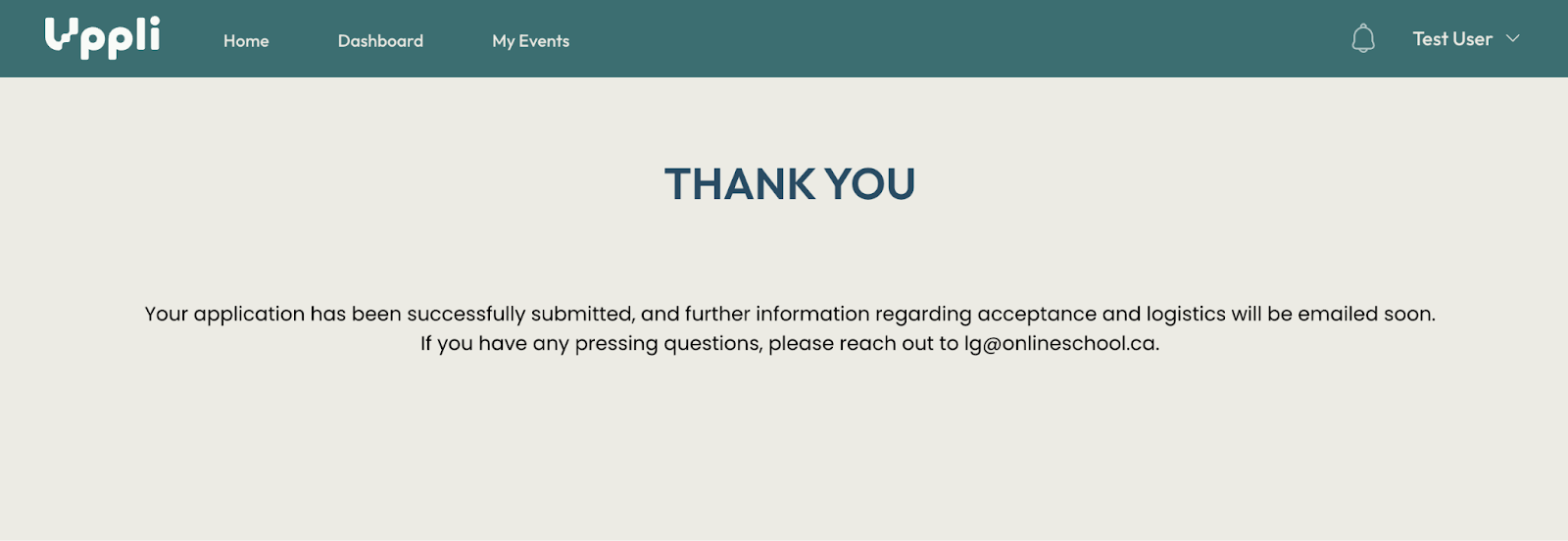
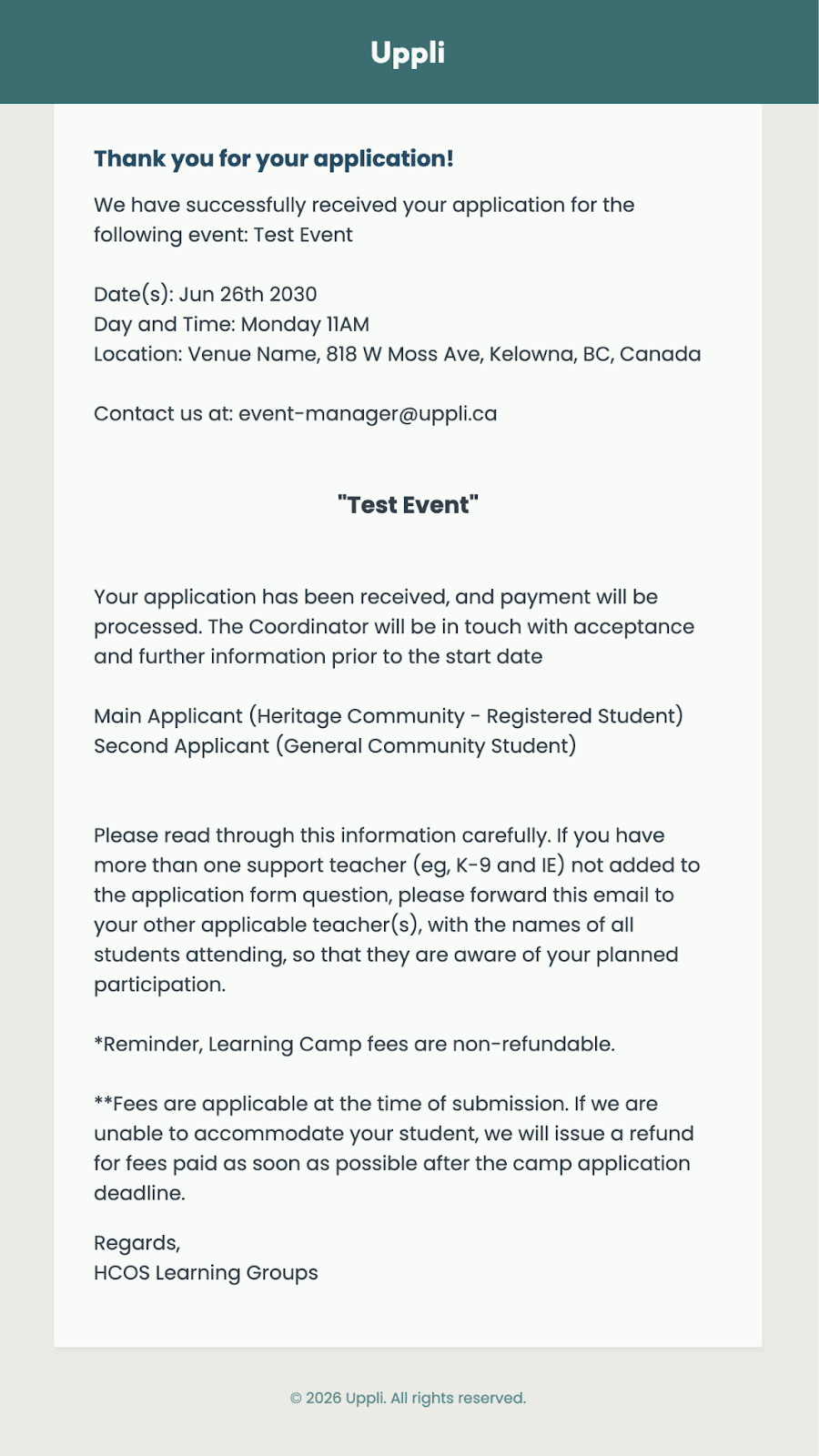
You’ve received an automatic message indicating that we have received your application.

- For Learning Camps, this indicates acceptance to the event unless the coordinator is in touch to indicate otherwise.
- For Community Connections, please remember that this does not indicate acceptance to the event, as we may not be able to accommodate all applicants. The LG coordinator of the event will be in touch to confirm if your application is accepted.
- Please note that HCOS PO payment entries will occur in Encom prior to the event date. Credit card payments are processed upon submission (unless indicated otherwise). 
    - For **Extended Learning Camps**, to pay from General Community PO, a parent will receive an invoice from HCOS to forward to their respective school.
- Mark the dates on your calendar.
- Your LG Coordinator may be in touch closer to the date with further details about the event.
- Enjoy the event!

#### I signed up for a Learning Group online but didn't get an email confirmation.

If you did not receive the confirmation email, it could be that you entered your email incorrectly, your application was not submitted properly, or the email was redirected to your junk mail folder. If concerned, please contact lg@onlineschool.ca.

#### I received the confirmation email following my application, but now I am being told it is full and we do not have a spot.

A confirmation email is automatically sent when you complete the application. Prior to acceptance, all applications are reviewed manually. Priority goes to HCOS students and, where there are group challenges, we wish to make sure a student is fully supported to ensure successful participation. All these points affect when the link for a Learning Camp may be closed as full and whether an application is approved for a student to attend. We appreciate your understanding.

#### Why do I have to give my child's BC Services Card number on an application every time?

Unlike a school that would have a student's emergency information on file and accessible, Learning Groups are run by many different coordinators in many areas throughout the province. In case of an emergency, the coordinator needs to have information on hand should we be unable to easily reach or contact a parent.

#### My child has a medical alert. What information will I need to provide?

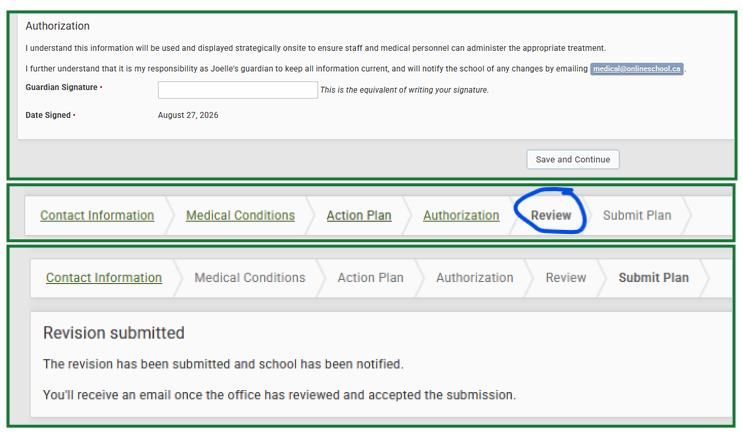
When a serious medical alert is indicated on a Learning Groups application, if a Medical Planning form has not already been provided to Learning Groups for the current school year, a Learning Groups team member will be in contact to complete a medical planning form. Depending on the nature and seriousness of the medical alert, there may be additional documents to complete as well (eg. Permission to Administer Medicine, Diabetes Support Plan, Seizure Support Plan, etc.).

Note that all documents must be on file prior to a child being dropped off at a Learning Groups event.

#### Why does Learning Groups need to know if my child has Learning Support or Inclusive Education Support?

<span style="font-weight: 400;">Our goal is to best facilitate student success, and Learning Group applications have questions designed to support students in their participation at LG events. It is therefore important for us to be aware of any supports that student may be already receiving so that we can effectively plan together for your child’s success at LG events and look at providing additional supports as needed. Additionally, when thinking about CC and CC+, classes have varying needs, and the dynamics are different than a familiar, low-key home environment.</span>

# FAQ-  Community Connections

#### What are the main differences between the types of Community Connections? 

See the [LG Types of Opportunities SOPHIE page ](https://sophie.onlineschool.ca/books/information-for-families/page/types-of-learning-groups-opportunities)for more information

#### How do I sign-up for Community Connections? 

<span id="bkmrk-community-connection-1">Community Connections are open to HCOS Enrolled students.</span>

<span id="bkmrk-all-types-of-communi">All types of Community Connections are via a Learning Groups application link, separate from enrollment in the school. In any given year, returning students are first given an opportunity to apply. If space allows, students on the CC Interest- Waiting Pool list will be contacted and offered spots as available. If you are not currently participating in a Community Connection, **are an HCOS Enrolled student,** and are interested in attending or enquiring about possibilities for joining, please indicate your interest via the </span>[CC Waiting Pool](https://docs.google.com/forms/d/1TrU80qBNLp6nXzu9xREhXEuFsXnvKpQwNWM55r_K6qI/edit).

#### If I sign-up, does that mean my child has a seat?

All LG sign-ups are applications, which are subject to review and approval from the event coordinator. There are a variety of factors involved prior to acceptance for the final class lists.

#### Can families apply for CC as application links are opened and make the full payment on their PO or will this have to wait until they have paid their tuition for the following year and the amount of PO funds available is determined? 

Yes, as an HCOS program, families can indicate PO# payment for CC applications prior to all the PO funds being available.<span style="font-weight: 400;"> </span>

#### How do HCOS PO# funds work with CC and CC Plus?

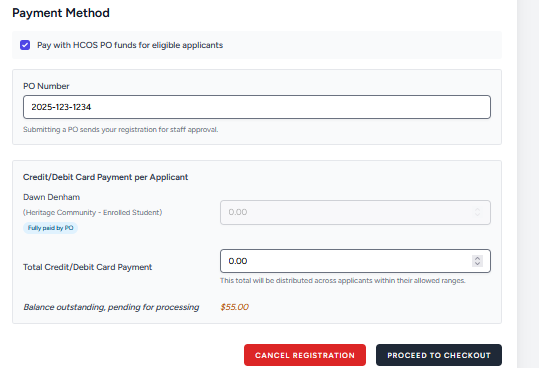
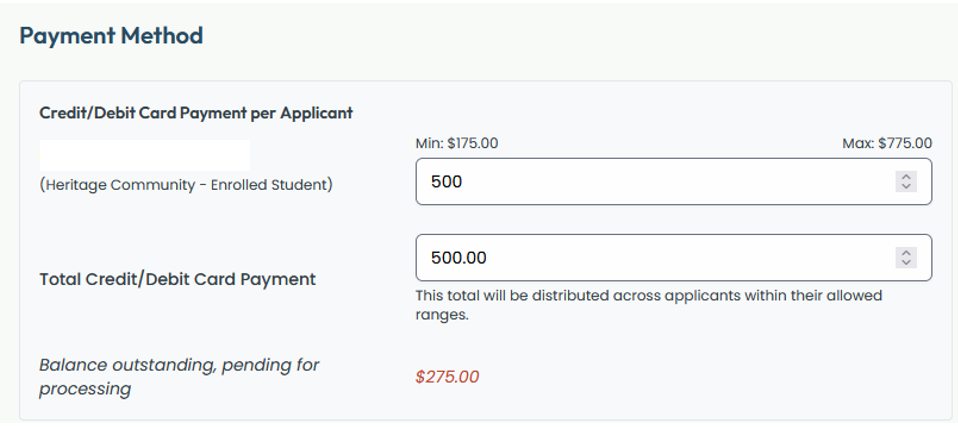
When students apply to attend a CC or CC+ for the upcoming year, a minimum non-refundable application fee amount is collected by credit card. The HCOS PO# can then be used for the balance of the fees.

CC:

- Parents can look at their resource funding and make more than the minimum payment if desired
- HCOS PO# funds (balance) will be processed in the Fall (after the deadline)

CC+:

- When the office adds students into their CC+ Courses in Encom, the fees will automatically be deducted at that time.

<span id="bkmrk-hcos-ie-students%3A-re-1">HCOS IE students: Remainder of fees will be paid for using IE funds instead of your Encom account, unless your support teacher has communicated otherwise.</span>

Please note: If there are not enough funds in the family Encom account) to cover the balance due, the amount outstanding will be charged to the credit card on file (used in the CC/CC+ online application).

<p class="callout info">In order to avoid balances due, we recommend choosing the tuition or bursary option that provides $600 in PO# funds. <span id="bkmrk-please-also-note-our">Please also note our </span>[Terms and Conditions as well as Cancellation Fee Schedule](https://sophie.onlineschool.ca/books/information-for-families/page/lg-terms-and-conditions-cancellation-fees-information).</p>

#### How do Grad Credits work with CC+ Courses?

For CC+ courses, Gr. 10-12 Students receive a credit towards each 4 credit course they take at CC, or toward each 2 credit course. The CC+ course fees appear in Encom as each student is added to the class and are automatically adjusted to take into consideration the applicable grad course resource credits so that only the balance shown is what is due to be paid.[ Visual example](https://docs.google.com/document/d/1--KYyFfk3mkF2-PZwG75YcqcPjsjuirn8JtfaabG13Q/view) of how it will appear in Encom. The balance due will be assessed to available family Encom funds or processed to the credit card used in the application.

#### I’ve applied for enrollment with HCOS, and I want my child to attend CC. Now what?

We appreciate your patience as your enrollment is being processed by HCOS. CC Campus Leads will reach out to families as space allows, following completion of the HCOS enrollment process.

#### What production will Ignite Theatre or Sparks put on next?

Please check out [ignitetheatre.ca](https://ignitetheatre.ca/) for the grand reveal!

#### If my child wants to be involved in Ignite Theatre, what type of commitment is involved? 

Ignite Theatre is a Community Connections Plus with family project-based learning on a grand scale with[ parent responsibilities outlined here](https://drive.google.com/file/d/1GQRgsEUR9fEqyN9xsUm9Vir916GZU9i4/view?usp=sharing). One parent from each family is expected to put in[ volunteer hours throughout the year](https://ignitetheatre.ca/wp-content/uploads/sites/34/2021/12/Ignite-Theatre-Year-Long-PVJ.pdf) AND during our Theatre Week which is the weekend leading into Victoria Day and that full week. Parental involvement is CRUCIAL to the success and excellence of our production. Sparks CC is our recreational performing arts track, where students in grades 2 to 7 can explore the basics of musical theatre without substantial parent volunteer responsibility.

##### Are cancellation options different for CCs and Longer-term Offerings?

Yes, while most Learning camps are non-refundable, CCs and some longer-term Learning Camps may have a graduated cancellation fee schedule noted in an application.

# FAQ Navigating the LG Website “Participate Now” Offerings Page

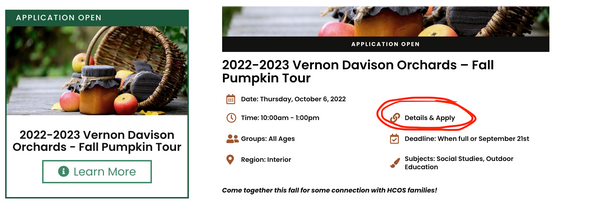
<span style="font-weight: 400;">Learning Groups has a </span>[<span style="font-weight: 400;">new website</span>](https://learninggroups.ca/)<span style="font-weight: 400;"> this year! All of our current offerings are listed on the “Participate Now” page and are labeled to show the status of an application. Each offering will have a label on top as seen below:</span>

**APPLICATION OPEN:**<span style="font-weight: 400;"> Indicates that the opportunity is ready for applications. Click “Learn More” and then on “Details &amp; Apply” to fill out an application.</span>

[![image-1664213938381.png](https://sophie.onlineschool.ca/uploads/images/gallery/2022-09/scaled-1680-/image-1664213938381.png)](https://sophie.onlineschool.ca/uploads/images/gallery/2022-09/image-1664213938381.png)

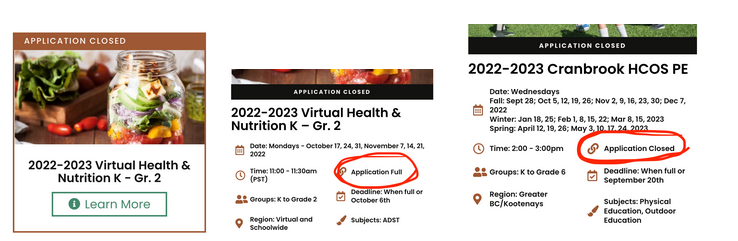
**APPLICATION CLOSED:** <span style="font-weight: 400;">Indicates that the event is full OR the deadline has passed. Click on “Learn More” and it will either indicate “Application Full” or “Application Closed” depending on the status. </span>

[![image-1664213965385.png](https://sophie.onlineschool.ca/uploads/images/gallery/2022-09/scaled-1680-/image-1664213965385.png)](https://sophie.onlineschool.ca/uploads/images/gallery/2022-09/image-1664213965385.png)

**COMING SOON:**<span style="font-weight: 400;"> Indicates that we are in the process of finalizing some details for this opportunity, and that the Application will be open shortly. </span>

[![image-1664214016755.png](https://sophie.onlineschool.ca/uploads/images/gallery/2022-09/scaled-1680-/image-1664214016755.png)](https://sophie.onlineschool.ca/uploads/images/gallery/2022-09/image-1664214016755.png)

<span style="font-weight: 400;"> </span>

# Cvent Transaction Notifications

The purpose of this page is to clarify payment transaction notifications you may receive. Cvent is the external software HCOS Learning Groups uses to process event applications. Depending on the payment method selected in an LG application, or funds available via Encom or credit card, you may receive a notification email such as presented in the scenarios below.

Cvent is good in many ways but does have limitations for which it hasn’t developed an alternative yet. Cvent generates auto-payment emails using the Coordinator’s name so it seems to come from the coordinator, not the LG office.

<p class="callout info">Please refer any questions to <lg@onlineschool.ca>.</p>

When the HCOS PO# is involved in the method of payment, fees are processed by the LG office according to what funds are available in the family’s Encom account . Speaking with your support teacher prior to applying for a Learning Group can help.

#### Insufficient Encom Funds

When there are insufficient Encom funds in the family’s account, there are two types of automatic emails that could result, as well as an invoice email.

Please note although the below scenarios denote the payment process for a CC, Learning Camp fee transaction notifications are similar.

##### Type 1: Payment Processed to Credit Card

![](https://lh4.googleusercontent.com/nw92dOh6opJjwqn_G3Scqc5WmjVBtPD8YI0Z7oFatfcmN6i_Y7lYvYaN2wopJgI7Qorjjbi7N5F2DZyJTvNE-hRUuXjlmpZEIDC1LTzKP7iFuVTVEIZl_hP-JXe1CK09AVrrlJi4vRBISQ67UbpJG4U)

If the automatic payment email ​ says "Your payment for the Community Connections \_\_\_\_\_\_\_ yyyy-yyyy event has been successfully processed to the credit card on file", this means that Encom funds weren’t sufficient to cover the CC fees (perhaps due to charges from curriculum or online classes). When there aren't enough Encom funds, the balance is charged to the credit card that was used to pay the noted application fee. The email is just to let you as the parent know that charge was put on your credit card.

##### Type 2: ‘Payment Failure’ Email Notification

 ![](https://lh4.googleusercontent.com/xuXB2FHmy0ksD0oAf8Yj4XMJVH-81o5ov16vWwJMDMN4hTjpcQlpsqI3N8iG-VTSNsI-FbDj5M1WL6GTJOR0oZjk-MqH0E4JLmANMzzHsVd_2nCy22VI7Xil_el40dIj25_MmLBe3T9OvzqdpMF2Bb4)

If the email states ‘payment failure’, then the payment processed to the credit card used for the noted application fee did not go through. Learning Groups will send an invoice for payment. If you do not see an invoice but have received a "Payment Failure" email, please check your junk mail.

#### Invoice Email

If the email states 'Please submit payment" or 'Balance Due', then the invoice shows additional amounts owing for CC which were not covered with Encom funds or credit card on file. As a parent, you can go into Encom and see the 'additional resources' section for your family; perhaps Encom funds were also used for charges for curriculum, ipad purchases or online classes. Please keep track of your curriculum or third party purchases to ensure enough funding is available to cover LG learning opportunities as there is a time lag when invoices get to the office.

To pay the invoice, click on the Cvent 'view your registration' link in the email, put in your registration confirmation number (provided in the email) and follow the prompts on each page to make the payment. You can add in a new credit card or the previous one that has funds available to process payment to.

CCs with remaining balance will be automatically charged to the credit card on file in mid- November to early- December; as noted in the application payment options.

If there are credit card changes, please contact Desada Daigle to update; otherwise payment won’t go through and an invoice will be emailed to the family. Making our email addresses safe will prevent them from getting blocked or going to the junk folder, depending on your settings. We ask families to not opt-out of receiving emails from us when registering their students for our learning opportunities in Cvent as this prevents invoices being emailed to you.

If you have further questions, please email Desada at <ddaigle@onlineschool.ca>.

**In the Cvent application for CC,** parents have the option to make payment by credit card or PO# funds. Any balance remaining, due to Encom funds being unavailable, will be charged to the credit card on file.

CC+: **HCOS Enrolled Students:** $575 (minus any Grad Course Credits) will be processed to the HCOS PO# when CC+ courses are added to each student in Encom. Any balance remaining, due to Encom funds being unavailable, will be charged to the credit card on file. (parent choice- I understand)

**CC and CC+ course fees for Inclusive Education supported students** are processed using IE funds. IE families might notice CC+ course fees in Encom at certain times of the year, but a short time later the course fees are corrected in Encom and fees processed using IE funds.

# General CC/CC+ Information

#### Parent Handbook

The Parent Handbook you receive from your CC Campus Lead has a lot of important information so please save it so that you can refer to it throughout the year. The information below and in our [CC FAQ page](https://sophie.onlineschool.ca/books/information-for-families/page/faq-community-connections) also applies to our CCs.

Most CCs have a Parent Orientation Meeting before the first class, where the coordinator will review the ethos and expectations for the classes, introduce the teachers and assistants, and field questions. We expect that at least one parent of each family attends. Please note the Scheduled Dates of Classes in your agenda/calendar and plan to attend, as each class is about a week’s worth of learning in a campus school.

Instructors will be in touch with you about the following:

- What to bring with them to class (for the first day and any other time something special is needed)
- Homework or practice for the next class (to be sent within a day or two of the class and when applicable)
- How you can best contact them about missing a class, or any questions or concerns you may have
- End of term comments (CC) or report cards (CC+)

Email is the primary method of communication with your Coordinator and the Instructors on-site. If your child is sick, please keep them home. If your child has symptoms caused by allergies, please inform the teacher or campus lead.If your child misses a class, please let their instructor AND the coordinator know ASAP and then be in touch with the instructor about what they missed. It does matter to the instructor if there is a student missing, even in larger classes!

#####   
Cancellation of Classes:

If there are extreme weather conditions or a closure is declared in the local School District, classes will be cancelled. I will notify you all by email with as much notice as possible. If classes are cancelled due to extreme weather, there will be no make-up class!

#####   
CC Contact Information:

There will be the names, grades/subjects and email for each teacher provided.

#####   
Maintaining Campus Health Safety

Our campus will be following protocols listed by the Ministry of Education. Precautionary measures may include:

- daily cleaning of high-touch surfaces
- regular hand washing routines (using hand sanitizer when sinks are unavailable)
- asking students and all those on-site who are sick to stay home
- monitoring the health of those present
- appropriate use of space and distancing

#####   
Reducing the Risk

Please remind your children to:

- Wash their hands frequently and thoroughly using soap and hot water and keep their hands to themselves
- Practice other good hygiene habits: do not touch one’s face/eyes/mouth with one’s hands and cover one’s mouth and nose when sneezing or coughing.
- Clean and disinfect frequently touched workspace surfaces.
- Maintain good general health (eat a balanced diet, get enough sleep, exercise in moderation).
- Illness: If your child is exhibiting [any level of sickness or symptoms](https://drive.google.com/file/d/1ESsqQka4d34U8y1cXB0BAfDRdlBkO9Qv/view) (other than from allergies), please keep him/her at home, to provide care to your child and others in our community.

#####   
Behaviour Expectations

While we don’t anticipate regular problems, it is good to be clear about expectations and proactively develop a learning environment that grows relationships, encourages learning, and honours God. While these are quite obvious and straightforward, please discuss these with your children before class.

Listening and Focusing:

1. When a teacher or other student is talking, all others should be listening.
2. When you want to say something, raise your hand.
3. If you are chatting with a partner or group, if something is funny, if you’ve had a break time, enjoy and participate, but then do your best to refocus promptly.

Distractions:

1. Games or toys are reserved for break times and not during class.
2. Please leave all electronics off during class (unless needed for your class).
3. Reserve eating and drinking for snack and lunch time.

For students who ‘struggle’ to meet the expectations, this will be the standard course of action:

1. For a once-off or infrequent situation, the teacher will talk to the student.
2. For a common recurrence, the student will be sent out of the room to talk with the campus lead, who will inform you so we can chat about it.
3. If the situation continues or for a major occurrence, then the campus lead will set a time when we will all sit down and discuss the issue in order to make a plan for the way forward. It may be that the parent is required to join their child in the class until the problem is changed or resolved.

The aim is that your children and their instructors will develop relationships of mutual respect.

#####   
Special Circumstances or Needs – Behavioural, Learning, Medical

On your application, you noted any health or learning needs that your child has. Following the emails received, please fill out the appropriate forms in order to help us care for your child well. If there is anything else we should know about your child with regard to group learning and teaching situations, or if you learn of additional information during the school year, please email the campus lead so the instructors can be best prepared to help your child.

For IE students with EA support, if an EA is absent due to illness and a substitute is not available, please do not send the students for that day, without EA support.

##### Christian Worldview and Content

HCOS is a Christian IPOL school and therefore, the majority of teachers and students involved in the Learning Groups will be Christians. There is still, however, diversity in faith and practice. Christian and Biblical content will be included in the lessons when it is fitting and natural. In all of our teaching, learning, and communication, our goal is to love and serve God and each other. In doing this, we will develop an atmosphere of respect and generosity. This will be the most important way that we incorporate our Christian faith into our classes.

##### Homework

If you have any concerns about your child’s learning and understanding in the class, please be in touch with the instructor quickly and regularly.

Depending on your child’s age and the subject matter, most weeks the instructors will email some homework and practice options. These are aimed to reinforce what is being learned in class as well as to prepare your child for the next class or any upcoming assignments. At CC, homework is encouraged as your child will gain so much more from their learning if it is completed.

**At CC+,** homework expectations increase through the grades, and completion is required to finish the course. For K/1, most suggested extension activities for home are optional. For gr 2/3 there will be some homework assignments or projects throughout the term. For grades 4/5, about a half hour of homework is expected each week as assignments or projects, which are supported in class with explanation. In grades 6/7, about 30-45 minutes in each subject area is expected in homework, in grades 8/9, about 45-60 minutes in each subject area is expected, and for grad level students more than 2 hours per subject area should be expected, varying depending on the size of the project, essay, research involved etc.

For PE and Health, students are expected to be active throughout the week for at least 2.5 hours, which can be communicated through the activity log at the end of the parent handbook or by email or other means.

##### Fire, Earthquake and Lockdown Drills

We will have a fire drill a few times through the year, as well as earthquake drills and one lockdown drill. Some children may be averse to loud noises, so please prepare them for these drills.

#####   
What to Bring

We want every child to have a water bottle and lots of snacks, as well as their lunch. They will be given regular opportunities for snack breaks. Please also bring a jacket for outdoor play. NOTE: Our classes are a nut-safe zone due to allergies.

##### Typical Supplies List for CC

Each week, all students should bring a labelled pencil case/box with the following labelled items:

- 3 sharpened pencils
- eraser(s)
- 12 pencil crayons
- at least 12 markers, including black
- 30 cm ruler
- glue stick
- scissors

Additionally, students in grades 4 and up should also bring:

- 3 blue pens
- binder with 8 ½ x 11” lined paper and some blank paper &amp; 4 dividers

If PE is offered: appropriate clothing and footwear (non-scuff shoes) for PE classes.

Grades 7 and up: Tablet or laptop if possible; required for grades 10 and over

Cell phones should be turned off during class time, or not sent at all.

# HCOS Learning Groups Information

<span style="font-weight: 400;">This page provides information and resources related to HCOS Learning Groups.</span>

<span style="font-weight: 400;"><iframe allowfullscreen="allowfullscreen" frameborder="0" height="480" src="//player.vimeo.com/video/452635713?title=0&amp;byline=0" width="640"></iframe>

 </span>

#### **Welcome to HCOS Learning Groups!** 

HCOS Learning Groups are committed to offering innovative, Christ-centered educational opportunities for home learners virtually and in person, through a variety of activities offered in communities around the province. We support home educating families by actively exploring and experiencing a range of knowledge and skills while nurturing our relationships with God and with each other.

As you consider all that HCOS has to offer, including Learning Group opportunities posted to date, I encourage you to look at the family resources and information posted on our [HCOS](http://onlineschool.ca) and [LG website ](http://learninggroups.ca) which may address questions you may have at this time and to become familiar with this [SOPHIE page ](https://sophie.onlineschool.ca/books/information-for-families/page/learning-groups-stage-2-k-12-protocols)outlining our protocols.

#### <span style="font-weight: 400;">Staff</span><span id="bkmrk--5" style="font-size: 15pt; font-family: Calibri,sans-serif; color: #000000; background-color: transparent; font-weight: bold; font-style: normal; font-variant: normal; text-decoration: none; vertical-align: baseline; white-space: pre-wrap;"></span>

![image.png](https://sophie.onlineschool.ca/uploads/images/gallery/2025-01/scaled-1680-/3KNimage.png) ![image.png](https://sophie.onlineschool.ca/uploads/images/gallery/2025-01/scaled-1680-/rjLimage.png)

 Our Learning Groups Director: Operations and Learning Camps, Christine Loewen, oversees all Learning Groups programs and LG administrative and office staff. Together she collaborates with them regarding the vision and mission in directing programming, the smooth implementation of processes and procedures and also the management of risks to ensure safe participation. She manages the financial aspects of the programs and communicates with Heads of School, directors and teachers throughout the year.

Our Learning Groups Director: Community Connections, Jonathan Zuidhof assists in managing day to day administrative operations related to Learning Groups programming and offerings, including support and training for LG leadership teams, coordinators and teachers, along with oversight of special projects such as the CC curriculum project and family communication throughout the year.

 [![image.png](https://sophie.onlineschool.ca/uploads/images/gallery/2024-03/scaled-1680-/NpTimage.png)](https://sophie.onlineschool.ca/uploads/images/gallery/2024-03/NpTimage.png)<span id="bkmrk-tessa-arends-is-the-">   
</span>

<span id="bkmrk-andria-lengkeek-is-t-0">Andria Lengkeek is the LG Administrator overseeing Community Connections Plus opportunities.</span>

![image.png](https://sophie.onlineschool.ca/uploads/images/gallery/2025-11/scaled-1680-/wIQimage.png) ![image.png](https://sophie.onlineschool.ca/uploads/images/gallery/2025-11/scaled-1680-/HQHimage.png) [![image.png](https://sophie.onlineschool.ca/uploads/images/gallery/2025-11/scaled-1680-/310image.png)](https://sophie.onlineschool.ca/uploads/images/gallery/2025-11/310image.png)

Lisa Franco is the LG Regional Administrator of the Interior and North with a Community Connections focus.

Ashley Loewen is the LG Regional Administrator overseeing Vancouver Island Community Connections.

<span id="bkmrk-jinhee-choe-is-the-l-0"><span id="bkmrk-tessa-arends-is-the--1">Ann Maddocks is the LG Regional Administrator overseeing Lower Mainland East Community Connections.  
</span></span>

[![image.png](https://sophie.onlineschool.ca/uploads/images/gallery/2024-07/scaled-1680-/Cpximage.png)](https://sophie.onlineschool.ca/uploads/images/gallery/2024-07/Cpximage.png) ![image.png](https://sophie.onlineschool.ca/uploads/images/gallery/2024-07/scaled-1680-/C99image.png) ![image.png](https://sophie.onlineschool.ca/uploads/images/gallery/2024-07/scaled-1680-/6W9image.png)

Heather Davis is the LG Administrator for Learning Camps in the Interior and Overnight.

Kristin Schlamp is the LG Administrator for Learning Camps in the North, Island and Virtual.

Laura Lemon is the LG Administrator for Learning Camps in the Lower Mainland.

Together with our teachers and office team, we offer a number of group learning opportunities and courses for our students and homeschooling community in a variety of locations throughout the province.

You can contact any member of the team at <lg@onlineschool.ca>.

To view our Office staff, please [visit here.](https://onlineschool.ca/about-us/staff-and-teacher-directory/#tab_Program_Admin)

![image.png](https://sophie.onlineschool.ca/uploads/images/gallery/2024-03/scaled-1680-/fBtimage.png) [![image.png](https://sophie.onlineschool.ca/uploads/images/gallery/2024-03/scaled-1680-/vg3image.png)](https://sophie.onlineschool.ca/uploads/images/gallery/2024-03/vg3image.png)[![image.png](https://sophie.onlineschool.ca/uploads/images/gallery/2025-11/scaled-1680-/HX3image.png)](https://sophie.onlineschool.ca/uploads/images/gallery/2025-11/HX3image.png)

[![image.png](https://sophie.onlineschool.ca/uploads/images/gallery/2024-03/scaled-1680-/Z6himage.png)](https://sophie.onlineschool.ca/uploads/images/gallery/2024-03/Z6himage.png) ![image.png](https://sophie.onlineschool.ca/uploads/images/gallery/2024-03/scaled-1680-/iwsimage.png)

# Learning Camps Information

<span style="font-weight: 400;">This page provides information beyond the </span><span style="font-weight: 400;">[HCOS Code of Conduct](https://sophie.onlineschool.ca/books/hcos-policies/page/hcos-code-of-conduct) and [Terms &amp; Conditions](https://sophie.onlineschool.ca/books/information-for-families/page/lg-terms-and-conditions-cancellation-fees-information)</span><span style="font-weight: 400;"> page.</span>

### **Face to Face Learning Camps**

#### **Expectations**

- <span style="font-weight: 400;">Spaces are often limited for Learning Camps. If you sign up, attendance is expected. </span>
- <span style="font-weight: 400;">Communicate any foreseeable absences in advance of a Learning Camp to allow other students to take your place.</span>
- <span style="font-weight: 400;">Arrive prior to the start time of the event. You need to check-in with your coordinator for attendance, so the event can begin on time.</span>
- <span style="font-weight: 400;">Take note of all information conveyed in the welcome email. Bring any supplies requested, and show up prepared for the day according to the uniqueness of each event.</span>

#### **Behavior** 

- <span style="font-weight: 400;">When in the community, behavior at a Learning Camp is a reflection of HCOS as a school. </span>
- <span style="font-weight: 400;">Behavior, tone, and our words are important. Please refer to the</span>[<span style="font-weight: 400;"> Biblical attributes</span>](https://onlineschool.ca/about-us/biblical-attributes/)<span style="font-weight: 400;"> within our learner profile as a guide to what we are working towards, including our expectations of speech and conduct.</span>
- <span style="font-weight: 400;">Participating students and families are expected to act respectfully and conduct themselves in an appropriate manner to all involved in the HCOS LG setting.</span>
- <span style="font-weight: 400;">Learning Camps often utilize external vendors' facilities that have their own rules and policies, not directed by HCOS. Follow venue rules and policies respectfully.</span>

#### **Post-workshop follow-up**

<span style="font-weight: 400;">We appreciate you taking the time to provide feedback when requested (optional, not a requirement)</span>

- <span style="font-weight: 400;">Submitting surveys</span>
- <span style="font-weight: 400;">Creating thank you notes for the presenters</span>

### **Virtual Learning Camps**

#### **Expectations**

- <span style="font-weight: 400;">Where an orientation session is being held, please consider this a required attendance.</span>
    - <span style="font-weight: 400;">This helps ensure that participants are able to competently log in and use Zoom functions, etc. which helps the event to run smoothly.</span>
- <span style="font-weight: 400;">Please arrive 5 minutes prior to the start time of the event so that everyone can be admitted to the online room prior to the event beginning.</span>
- <span style="font-weight: 400;">Zoom etiquette  
    </span>
    - Refrain from adding filters (sunglasses, hats, accessories) onto faces
    - Your zoom name ID must be the participant name and should not be renamed during the online session
        
        
        - John
        - John Doe
        - Doe family
    - Proper use of chat function. 
        - Should only be related to the topic of the Learning Camp.
    - Always mute your microphone unless called on to speak by the presenter.
    - Your camera may be on or off - it’s up to you. 
        - Refrain from eating a meal or food during the Learning Camp.
        - Be aware of whether participation is per student or per screen sign-up (see our [FAQ- Applications](https://sophie.onlineschool.ca/books/information-for-families/page/faq-applications) for details), this will be indicated in the application.
            
            
            - Ie.if sign-up and payment is per child, if you only sign-up one child- additional siblings should not appear on the screen or participate in any way in the zoom session.
- <span id="bkmrk-zoom">Zoom </span>troubleshooting 
    - If you are experiencing a poor connection (freezing, lagging audio or choppy video), try turning your webcam off to save data. If that doesn’t work: 
        - If possible, use a laptop that is hard wired to your router.
        - Move closer to your wifi router for a stronger signal (and better speeds).
        - Try connecting with a phone or tablet using LTE - just be careful and watch data usage (See below for more tips to reduce data use).
        - Connect to 5Ghz instead of 2.5Ghz (many newer routers do this automatically) - important for apartments and more densely populated areas.
        - You typically need at least 15mbps down/1mbps up connection for zoom to “work”. Better internet speeds will ensure it works well (if available in your area - some remote and Northern areas unfortunately still do not have consistent access to quality high speed internet.
        - Turn off the HD option in Zoom’s video settings, and turn off all filters and backgrounds.
        - Generally, the less devices connected to your home network at the time you are using zoom, the better the quality of your zoom experience will be.
        - Check Zoom’s website for [more troubleshooting tips](https://support.zoom.us/hc/en-us/articles/201362463-Wireless-WiFi-Connection-Issues#:~:text=Switch%20to%20a%20different%20WiFi,your%20WiFI%20bandwidth%20is%20insufficient).

#### **Post-workshop follow-up**

<span style="font-weight: 400;">We appreciate you taking the time to provide feedback when requested (optional, not a requirement):</span>

- <span style="font-weight: 400;">Submitting surveys</span>
- <span style="font-weight: 400;">Creating thank you notes for the presenters</span>

# Learning Groups Frequently Asked Questions

<span style="font-weight: 400;">This is a landing page that has been designed to direct you to specific FAQs regarding HCOS Learning Groups.</span>

#### [General Questions](https://sophie.onlineschool.ca/books/information-for-families/page/faq-general-questions)

#### [Applications](https://sophie.onlineschool.ca/books/information-for-families/page/faq-applications)

#### [Community Connections](https://sophie.onlineschool.ca/books/information-for-families/page/faq-community-connections)

#### [HCOS Scripture Memorization Challenge](https://sophie.onlineschool.ca/books/learning-groups/page/faq-hcos-scripture-memorization-challenge)

# Learning Groups Resources

#### [SOPHIE - LG Book](https://sophie.onlineschool.ca/books/information-for-families/chapter/learning-groups)

- <span style="font-weight: 400;">Information on types of LG offering</span>
- <span style="font-weight: 400;">FAQ</span>

#### [Learning Groups Website](https://sophie.onlineschool.ca/learninggroups.ca/participate)

- LG Events being offered
- Note the[ photo gallery](https://learninggroups.ca/gallery/) and[ Year At A Glance Grid](https://docs.google.com/spreadsheets/d/1vCqja1Gu_FSBoRDBaddrgkWYyRUn2bz0ZunPtWMq0JU/edit#gid=1470151211) providing a spreadsheet view of all current events.
- Sign up for E-Alerts to receive emails about new events posted
- Click ‘Learn More’ for the card of any you’re interested in. Click ‘Details and Apply’ to complete an application all the way until you click ‘Submit’. If the ‘Details and Apply’ is not available, it is closed (possibly full) or click ‘Visit the CC Interest Waiting Pool’ to be emailed if or when a seat becomes available.
- When applying, parents may need to have a credit card if a minimum payment is required, student’s PO number, and BC Services Card if students are dropped off.

# Parent Homeschool Co-op Information

<span style="font-weight: 400;">This page provides information on how you as a parent can organize activities with others in your community. HCOS encourages families to connect with each other in support of your children’s academic, physical, emotional and spiritual growth and development.</span>

<span style="font-weight: 400;">A homeschool Co-op is a parent initiative in which parents share their love of learning with a group of students and also share organizational and instructional responsibilities with other homeschooling parents.</span>

<span style="font-weight: 400;">[![SOPHIE family page- colour palete.JPG](https://sophie.onlineschool.ca/uploads/images/gallery/2022-02/scaled-1680-/sophie-family-page-colour-palete.JPG)](https://sophie.onlineschool.ca/uploads/images/gallery/2022-02/sophie-family-page-colour-palete.JPG)</span>

#### **Why a Homeschool Co-op?**

<span style="font-weight: 400;">There are many benefits to planning a homeschool Co-op:</span>

- <span style="font-weight: 400;">Social activities for both kids and parents</span>
- <span style="font-weight: 400;">Various parents can teach their expertise and passion</span>
- <span style="font-weight: 400;">Students build and practice collaborative skills</span>
- <span style="font-weight: 400;">Builds a personal homeschool support system</span>
- <span style="font-weight: 400;">Students get to experience learning at home and with friends</span>
- <span style="font-weight: 400;">Some subjects and activities are just more fun in a group!</span>

<span style="font-weight: 400;">Families should share learning samples and completed work from the Co-op to their HCOS support teacher.</span>

#### **How to Start a Homeschool Co-op**

<span style="font-weight: 400;">Homeschool Co-ops come in many different forms. It can be as simple as a few families getting together at a park for social interactions or going for bike rides, walks, hikes and group field trips. Co-ops can also be a few families meeting at home and rotating teaching responsibilities for a subject or two. Or it can involve hiring a series of professional teachers that are able to instruct a variety of subjects in a church or community centre. Homeschool Co-ops are a great way to share the work of home educating your children with a group of other like minded families.</span>

#### **Set the Purpose of Your Homeschool Co-op**

<span style="font-weight: 400;">Are you just looking for a way to socialize with other homeschool families? Do you want to create a way for students to explore electives? Do you want to meet outdoors and explore nature? Is there a specific age or grade level that you want to include? Maybe your purpose is that you need to switch off teaching days with other families so that you can work outside of the home. </span>

<span style="font-weight: 400;">The very first step in starting a homeschool Co-op is to </span>**set the purpose**<span style="font-weight: 400;">. Whatever your goals are for your Co-op, it is important to be clear about your purpose which will guide the rest of your start-up decisions. Being clear about your purpose will help you find and attract families to join you who share with similar goals. This can save frustration further on.</span>

#### **Decide on a Format**

<span style="font-weight: 400;">Homeschool Co-ops come in many different formats. A few questions to consider are:</span>

- <span style="font-weight: 400;">How many classes or activities do you want to offer?</span>
- <span style="font-weight: 400;">How often do you plan to meet?</span>
- <span style="font-weight: 400;">Will there be social activities, educational opportunities, or a mix of both?</span>

<span style="font-weight: 400;">In general, you want to meet often enough to fulfill your purpose and to enable friendships and connections to form. </span>

<span style="font-weight: 400;">[![SOPHIE family page- cartoon kids.JPG](https://sophie.onlineschool.ca/uploads/images/gallery/2022-02/scaled-1680-/sophie-family-page-cartoon-kids.JPG)](https://sophie.onlineschool.ca/uploads/images/gallery/2022-02/sophie-family-page-cartoon-kids.JPG)</span>

#### **Find Members for Your Homeschool Co-op**

<span style="font-weight: 400;">You need at least one other family to form a homeschool Co-op so you need to decide how you want to find members. Be clear on the purpose of the group and intended ages/grades you are looking for.</span>

<span style="font-weight: 400;">If you already have a few homeschool friends and want to form a small Co-op, it may be as simple as asking your friends if they are interested. You can also advertise on the HCOS facebook group, </span><span style="font-weight: 400;">check out homeschooling facebook groups in your area, ask around at church with home educating families </span><span style="font-weight: 400;">or meet other families at face to face Learning Camps and form a connection. </span>

#### **Find a Location for Your Homeschool Co-op**

<span style="font-weight: 400;">The size and purpose of your Co-op will help determine the perfect location for your group. </span><span style="font-weight: 400;">For example, if the purpose of your homeschool Co-op is purely social you might want to choose a local park to meet at each week. Eg. park days on Mondays and/or field trips on Fridays If there is an educational component to the homeschool Co-op you may want to consider meeting indoors, such as someone’s home or a church</span>

<span style="font-weight: 400;">Larger groups can usually rent space from churches, but this normally carries a cost. Sometimes churches are happy to rent out their Sunday School classrooms during the week. If you choose to go this route be sure to ask the church a few questions before signing a contract:</span>

- <span style="font-weight: 400;">Do you need to carry separate liability insurance? (LG/HCOS does not provide this for homeschool Co-ops)</span>
- <span style="font-weight: 400;">Is there a cost? If so, will you be billed only for days you use the classroom or will you be charged a set amount each month?</span>
- <span style="font-weight: 400;">What are the usage restrictions (food, noise, messy activities, etc.)?</span>
- <span style="font-weight: 400;">Are parents required to stay on campus?</span>

<span style="font-weight: 400;">Homeschool Co-op purpose, size, and budget are important factors in selecting the right location.</span>

#### **Insurance Considerations**

<span style="font-weight: 400;">If you are running a co-op in your home, contact your insurance provider to make sure you have adequate coverage.  
  
If choosing a location that requires liability insurance, speak with the facility manager of the location for information on how to obtain the needed insurance.  
</span>

#### **Choosing Homeschool Co-op Teachers**

<span style="font-weight: 400;">There are two main options in terms of Co-op teachers:</span>

- <span style="font-weight: 400;">Parents of Co-op students</span>
- <span style="font-weight: 400;">Hire a teacher or service provider</span>

<span style="font-weight: 400;">Choosing parents within the homeschool Co-op to teach is an easy choice. They are already committed to your group and are generally happy to teach a class for free, especially if their children are also attending the class. </span><span style="font-weight: 400;">Another great option is to hire a teacher or service provider who are generally very passionate and skilled in the subjects they choose to teach. Since hiring a teacher or service provider will carry an expense, it’s important to discuss this decision with the group.</span>

#### **Set a Price**

<span style="font-weight: 400;">The price of your homeschool Co-op is directly related to the expenses.</span>

<span style="font-weight: 400;">Possible Co-op expenses include:</span>

- <span style="font-weight: 400;">Location costs (+ insurance if required)</span>
- <span style="font-weight: 400;">Teacher fees</span>
- <span style="font-weight: 400;">Supplies and materials</span>
- <span style="font-weight: 400;">Field trip fees (eg. admission fees)</span>

<span style="font-weight: 400;">You want to make sure that you are fairly sharing the costs through the homeschool Co-op. Setting a price is easy and straight-forward for small homeschool Co-ops of just a few families. It gets more complicated for a large Co-op where students are selecting different classes, so it may be best to avoid too large of a group to keep costs low (or free!). 2-3 families is a good size to start with for most Homeschool Co-ops.</span>

#### **Choose the Homeschool Co-op Classes**

<span style="font-weight: 400;">You are not limited to traditional school subjects. Feel free to get creative! If your kids are interested in learning a specific topic, there is a good chance other kids are interested too.</span>

<span style="font-weight: 400;">Some homeschool Co-ops follow selected curriculum, and others make it up as they go. Either option can work well depending on your group’s needs and learning styles. If the Co-op is teaching an academic core class like language arts, math, science, or history, they usually ask students to do some work at home and the rest in the Co-op.</span>

<p class="callout info"><span style="font-weight: 400;">Communicating with your support teacher about curriculum resources is a great way to ensure that you have a solid plan for getting your kids engaged in learning.</span></p>

#### **Agree on Homeschool Co-op Rules**

<span style="font-weight: 400;">Every family has different ideas about how to best run a homeschool Co-op. It is best to agree on some rules right from the beginning.</span>

<span style="font-weight: 400;">Think about:</span>

- <span style="font-weight: 400;">Can parents leave during class or do they need to stay?</span>
- <span style="font-weight: 400;">What happens if there are behavior problems?</span>
- <span style="font-weight: 400;">How much notice is needed to cancel a class?</span>
- <span style="font-weight: 400;">How will inclement weather be handled?</span>
- <span style="font-weight: 400;">Who is ultimately in charge of the Co-op?</span>
- <span style="font-weight: 400;">If there is a fee, what is the refund policy?</span>

<span style="font-weight: 400;">Thinking through some of these issues can help prevent problems in the long run.</span>

<p class="callout info"><span style="font-weight: 400;">For most Co-ops, having no fees except for field trips or basic supplies is a great option. Resources can be shared or purchased by each individual family. This keeps the Co-op experience uncomplicated. However, many successful Co-ops have run with up-front fees. It takes excellent communication and organization to set it up.</span></p>

#### **Set a Schedule**

<span style="font-weight: 400;">Once you have a location selected, teachers have been chosen, and classes planned, you need to set a schedule. Plan at least a semester at a time so people can make plans. </span>

<span style="font-weight: 400;">Setting the schedule for a small Co-op involves sitting down with a calendar and marking off the dates you will have Co-op classes. Note any holidays so you don’t need to reschedule those classes later.Then choose the times your Co-op will run (eg 10am - 12pm or 1pm-2pm etc). Send the dates and times to all of the homeschool families so they can plan accordingly. Finally, fill in your times with what you will be doing (eg. Group playing at jungle gym 10am - 10:30am, walk in the park 10:30-11am, Art 11am - 11:30am, Bible study 11:30am - 12pm)</span>

<span style="font-weight: 400;">Setting up the schedule for a larger Co-op is a little bit more work simply because there are more classes. To set up the schedule for a large Co-op, we recommend using </span>[<span style="font-weight: 400;">google calendar</span>](http://calendar.google.com)<span style="font-weight: 400;">. This lets teachers add their classes to the calendar. Parents can view the calendar from their computer or phone.</span>

<span style="font-weight: 400;">If one of your homeschool Co-op goals is socialization, be sure to schedule some field trips and park days too. Some field trips (eg. museums, science centres) require advance planning, so it is good to get them on the calendar early.</span>

# Types of Learning Groups Opportunities

To see a summary of our LG opportunities including Learning Camps, [Year at a Glance](https://docs.google.com/spreadsheets/d/1vCqja1Gu_FSBoRDBaddrgkWYyRUn2bz0ZunPtWMq0JU/edit?pref=2&pli=1#gid=1470151211) has tabs across the bottom for virtual and all the areas, in which events are organized by city.

<span style="font-weight: 400;">We invite you to review below the particulars for each type of opportunity we offer location information, as well as information on how using the [waiting pool link and how to apply CC and CC+](https://sophie.onlineschool.ca/link/5479#bkmrk-cc-and-cc%2B-waiting-p).</span>

<table id="bkmrk-learning-groups-oppo"><tbody><tr><td style="width: 210px;">**Learning Groups** **Opportunity**

</td><td style="width: 300px;">**Description**

</td><td style="width: 299px;">**Family Role**

</td></tr><tr><td style="width: 210px;">[**Learning Camps (LC)**](https://sophie.onlineschool.ca/link/5479#bkmrk-learning-camps)

  
</td><td style="width: 300px;">- <span style="font-weight: 400;">Short-term group event</span>
- <span style="font-weight: 400;">Single-day learning experiences i.e. Aquarium, </span>Science World Field Trip
- Weekly class over 1 or 2 terms
- Monthly, year-long class
- <span style="font-weight: 400;">Short-term weekly class i.e. writing</span>
- <span style="font-weight: 400;">Workshops - Camp Bob, or Rocketry</span>
- <span style="font-weight: 400;">Virtual (usually via Zoom) or Face to Face</span>

</td><td style="width: 299px;">- <span style="font-weight: 400;">Share learning experiences i.e. pictures, poster, outline, handout, pre and post activities in weekly communication and/or teacher portfolio visit.</span>
- <span style="font-weight: 400;">Parent accompaniment usually preferred</span>

</td></tr><tr><td style="width: 210px;">[**Community Connection (CC)**](https://sophie.onlineschool.ca/link/5479#bkmrk-community-connection)

<span style="font-weight: 400;">  
(Significant offering, but NOT full courses)  
  
</span>

  
</td><td style="width: 300px;">- <span style="font-weight: 400;">Times and duration may vary, but typically a half or full day once a week</span>
- <span style="font-weight: 400;">12 -24 weeks</span>
- <span style="font-weight: 400;">Blend of homeschool and campus flavours</span>
- <span style="font-weight: 400;">Teacher led classes</span>
- <span style="font-weight: 400;">Primarily certified teachers with some community/ parent instructors</span>
- <span style="font-weight: 400;">Homework is sometimes or often assigned depending on the location</span>

</td><td style="width: 299px;">- <span style="font-weight: 400;">Although primarily drop-off, some parental involvement</span>
- <span style="font-weight: 400;">Share learning experiences i.e. pictures, poster, outline, handout, pre and post activities in weekly communication and/or portfolio visit to support teacher</span>
- <span style="font-weight: 400;">Provide CC teacher’s class summaries to support teacher</span>

</td></tr><tr><td style="width: 210px;">[**Community Connection Plus (CC+)**](https://sophie.onlineschool.ca/link/5479#bkmrk-community-connection-0)

<span style="font-weight: 400;">  
Offers Complete courses  
  
</span>

  
<span style="font-weight: 400;"> </span>

</td><td style="width: 300px;">- <span style="font-weight: 400;">One full day a week</span>
- <span style="font-weight: 400;">30 weeks</span>
- <span style="font-weight: 400;">Hybrid and face to face classes</span>
- <span style="font-weight: 400;">HCOS instructors wholly responsible for subject areas taught</span>
- <span style="font-weight: 400;">Teacher on record and listed in Encom as course teacher (like Online course) </span>
- <span style="font-weight: 400;">Often 3-4 courses (eg. perhaps S.S., Science, PE, Fine Arts)</span>

</td><td style="width: 299px;">- <span style="font-weight: 400;">Parent drop off </span>
- <span style="font-weight: 400;">Parent volunteers are welcome </span>
- <span style="font-weight: 400;">HCOS teachers cover entire courses, teaching, evaluating and reporting on students</span>
- <span style="font-weight: 400;">Homework is often assigned and required to fully complete the course</span>

</td></tr></tbody></table>

#### **Summary of differences between Learning Camps and Community Connections**

- <span style="font-weight: 400;">Learning Camps are single day or short term activities such as a field trip or workshop.</span>
- <span style="font-weight: 400;">Co-ops are parent Initiatives and no longer under the HCOS LG banner</span>
- <span style="font-weight: 400;">Community Connections are weekly half or full day opportunities throughout the school year. These multi-term classes offer a campus style environment while maintaining a home education flavour</span>

#### **Joining a Learning Group Opportunity - General information**

1. Find Learning Group Opportunities in email received from your support teacher, e-alert email from Learning Groups or at our[ Learning Groups website](http://learninggroups.ca).
2. <span style="font-weight: 400;">To sign up, click on the link for the application form and complete fully to the submit form. Many events allow you to use PO funds; a credit card payment will be required as an application fee for CCs or for the full amount on lower-cost LCs.</span>
3. <span style="font-weight: 400;">Prior to acceptance all applications are reviewed manually. Priority goes to HCOS students and where there are challenges in a group setting we wish to make sure a student is fully supported to ensure successful participation. </span>
4. <span style="font-weight: 400;">You’ll receive the automatic message indicating that we have received your application. For Learning Camps, this indicates acceptance to the event unless the coordinator is in touch to indicate otherwise.</span>
5. <span style="font-weight: 400;">Mark the dates on your calendar.</span>
6. <span style="font-weight: 400;">Please note that HCOS PO payment entries will occur in Encom around the event date. To pay from General Community PO, a parent will receive an invoice from HCOS to forward to their respective school. Credit card payments are processed upon submission (unless indicated otherwise).</span>
7. <span style="font-weight: 400;">Your Coordinator may be in touch closer to the date with further details about the event. </span>
8. <span style="font-weight: 400;">If you are unable to attend the Learning Group opportunity, please note there are cancellation policies in effect. </span>
9. <span style="font-weight: 400;">Enjoy!  
    </span>

#### **Learning Camps**

<span style="font-weight: 400;">Learning Camps are short term group learning experiences, often with parental presence. These range from field trips, to workshops, to a short-term set of weekly classes, to overnight events. Examples include writing workshops, science experiments, field trips to the aquarium or zoo, theatre performances, robotics competitions, overnight trips to Barkerville, and SALTS. </span>

<span style="font-weight: 400;">Parents and students are encouraged to share the learning that took place during learning camps including any pictures, handouts or other relevant work with their support teacher. </span>

<span style="font-weight: 400;">To find out more and sign up, families can:</span>

- <span style="font-weight: 400;">Use information and links in emails receive</span>d from your support teacher about available Learning Groups
- Go to[ https://learninggroups.ca/](https://learninggroups.ca/) and use the filters to find opportunities in their area 
    - If you are interested in a Learning Group activity and do not see it on the LG website, the event may be full. You can fill out the[ Learning Camp Interest Survey](https://docs.google.com/forms/d/e/1FAIpQLSfrbh9X0mfiGIqvK87DxszmEaeXcPVrjtEzVhCqRkXZi32CJg/viewform) form and we will be in touch about future opportunities.
- Sign up for[ e-alerts](https://learninggroups.ca/participate/) (scroll to the bottom of this page for the e-alerts links) and receive email notification of events a<span style="font-weight: 400;">s they open for application</span>

<span style="font-weight: 400;">If you have any further questions, please conta</span>ct your<span id="bkmrk-their-hcos-learning-"> HCOS Learning Camp Administrator.</span><span id="bkmrk-" style="font-size: 11pt; font-family: Calibri,sans-serif; color: #000000; background-color: transparent; font-weight: 400; font-style: normal; font-variant: normal; text-decoration: none; vertical-align: baseline; white-space: pre-wrap;"></span>

#### **Community Connections (CC)**

<span style="font-weight: 400;">Students in Community Connections (CC) learn in a class setting for a half- to full-day each week over 16-24 weeks through the school year. These multi-term classes provide a campus learning environment while maintaining a home education flavour. </span>

<span style="font-weight: 400;">Certified teachers or experienced instructors guide students through varied learning experiences including hands-on, group and collaborative learning. Students learn presentation skills, complete projects, videos, experiments, participate in physical education classes and more. Activities vary depending on the subject and location. Through a combination of class work and take home assignments, students develop competencies in specific subject areas. CCs do not fully cover the content and competencies of each subject, but are an excellent blended supplement to your home learning.</span>

<span style="font-weight: 400;">Parents and students are encouraged to share the learning that occurs at Community Connections including any homework, handouts, assignments, projects, lab reports etc. that were completed with their support teacher . </span>

<span style="font-weight: 400;">CC instructors will provide information about class activities in emails, term summaries or blogs.</span>

<span style="font-weight: 400;">Parental involvement is often encouraged. </span>

<span style="font-weight: 400;">CC locations currently include: Chilliwack (K-3), Abbotsford Theatre Sparks, Parksvill</span>e, Campbell River, and Sechelt (Sunshine Coast)<span style="font-weight: 400;">.</span> Find out more[ here](https://docs.google.com/spreadsheets/d/1_K9Unra_6fnFZDDyk4S_f-7yrzpdRNprHVB9Nq3B_Tg/edit?usp=sharing).

#### **Community Connections Plus (CC+)**

<span style="font-weight: 400;">Students in Community Connections Plus (CC+) learn in a class setting for a full day on a weekly basis over a period of 30 weeks. </span>

<span style="font-weight: 400;">HCOS certified teachers provide all the instruction and assessment needed to fully cover the subject taught and complete the report card in Encom each term. </span>

<span style="font-weight: 400;">Students receive instruction to fully cover the content and competencies in 3 or 4 courses, such as Social Studies, Science, Physical and Health Education, ADST or Arts Education. Students learn presentation skills, complete projects, videos, experiments, get active and more!</span>

<span style="font-weight: 400;">As students go through the grades, homework progressively increases and is required to fully complete the subject competencies. Weekly communication from the instructors provides information about class activities. </span>

<span style="font-weight: 400;">CC+ locations currently include: Langley, Abbotsford, Sumas, Abbotsford Ignite Theatre, Abbotsford Science &amp; Math (10), Chilliwack (Gr. 4-12), Kelowna, Penticton, Vernon, Victoria, and Nanaimo. </span>

### **CC and CC+ Waiting Pool and Application Process**

- <span style="font-weight: 400;">To learn more about the locations, grades and subjects typically offered </span>please visit the [Learning Groups website.](https://sophie.onlineschool.ca/learninggroups.ca/participate) We will update with the next school year's offerings once determined.
- To let a CC or CC+ Campus Lead know that you’d like to join, please fill out your information in our[ waiting pool](https://forms.gle/Uh51Bp3vrBDbGawn7). Depending on availability, the Campus Lead will be in touch with HCOS-enrolled families about the application process. **Completion of the waiting pool or application forms does not guarantee acceptance.**
    - <p class="callout info">Note: students must be enrolled with HCOS before using the CC waiting pool link. New to HCOS students, please *complete* the enrollment process first, the waiting pool link will be included in your HCOS acceptance letter.</p>
- To promote success we encourage students to participate in a short-term Learning Camp prior to a longer-term event. Learning Camp options can be found at[ https://learninggroups.ca](https://learninggroups.ca).
- HCOS Inclusive Education students are welcome to apply. Acceptance will be evaluated on a case-by- case basis after a conversation with the support teacher and family to ensure necessary support levels are available on-site.​

Application to an HCOS CC and CC+ is a separate process in addition to enrolling at HCOS. When location application links become available in the Spring, current students are offered the first opportunity to return, then the Campus Lead will reach out to families on the waiting pool to fill remaining seats.

### **Reporting** 

#### **Reporting to Support Teacher for Learning Camps and CC**

<span style="font-weight: 400;">Save and share activities and work completed in relation to the LG event and also share photos of your child participating.</span>

<span style="font-weight: 400;">Many LG experiences, assignments, projects, and/or activities span more than one subject area. Notice and report on content/competencies outside of CC subject area i.e. social skills in group, oral presentation skills, artistic or dramatic skills, work habits in using time purposefully, etc.</span>

<span style="font-weight: 400;">Students may have been provided a term summary at CC; a few CCs have a Facebook page, a blog or send out a weekly summary email.</span>

#### **Reporting at CC+**

<span style="font-weight: 400;">The CC+ teachers are HCOS teachers who cover entire courses, teaching, evaluating and reporting on students.  
</span><span style="font-weight: 400;">Students often complete homework and submit to the CC+ teacher for evaluation.   
</span><span style="font-weight: 400;">PE courses at CC+ involve students also doing </span>

# Community Opportunities

This page is a central database of community opportunities that families might like to investigate. We are not endorsing these opportunities but rather sharing information as to possible resources available. Thank you.

---


#####  **BC Rock and Gem show**

Home-school families or groups are welcome to attend the BC Rock and Gem show in Chilliwack again this year if they would like a field trip opportunity! [https://www.bclapidary.com/bc-gem-show.php](https://www.bclapidary.com/bc-gem-show.php)

**Admission will be free** for all education groups, including Home-school families, **on Friday, April 10th.**

**Please come after 1:00 pm,** as we have many bus loads of classes from different school districts already coming in the morning. Just **identify yourselves** as a Home school family or group at the front door and students, plus their parents/caregivers/supervisors will be admitted free of charge.

##### **Valley Tennis Academy, Abbotsford**

<span style="font-size: 12.0pt;">We are launching a 12-week homeschool spring group lesson program beginning March 30, offered on weekday mornings and afternoons and designed specifically for homeschool students. The program provides structured physical activity, skill development, positive social interaction, and character development in a safe and encouraging environment. For more information and to register, see [here.](https://valleytennisacademy.ca/home-school-programs/)  
</span>


##### **Parks Canada and Exploring by the Seat of Your Pants**

📣 **Calling all teachers and educators!!!** 📣  
From Monday March 2 through Thursday March 5, join **Parks Canada and Exploring by the Seat of Your Pants** for an exciting new online learning series sharing the nature and history of Coastal BC! 🌊🐾🍁  
Learn more and register here! 👉 [https://exploringbytheseat.com/lessons/parkscanadabc/](https://exploringbytheseat.com/lessons/parkscanadabc/)


##### **Elevate Aviations ACE Tour**

Multiple cities across BC and Canada  
More information can be found [here](https://www.elevateaviation.ca/programs/ace-on-tour/?v=3978d1f1b618).

Elevate Aviation is now in its 10th year of inspiring youth across Canada through ACE On Tour (previously the Cross Country Tour). In 2025 alone, we visited 20 cities and reached over 1,000 youth with this inspirational program. Each full-day event features dynamic guest speakers, lunch, and a behind-the-scenes tour of the local aviation community. Best of all, these events are offered at NO COST to participants or schools.  
  
(January) Registration is not yet available, please check starting in February. There is also a newsletter sign-up at the bottom of the above linked page to stay informed.


##### **Home Learners Camping Opportunity**

4th Annual Home Learners Camping Trip: May 4th-8th, 2026 (4 nights)  
**Camp Hope** - 61855 Lougheed HWY, Hope, BC

A chance to meet other home learning families from around the Province and maybe even beyond. Explore a place you may know already or discover an area of our Province that holds so much wonder. There will be lots of down time for families to make use of the grassy field, casual play and bonfire time. Participation in any of the events is completely optional.

The trips are quite simple - book an accommodation, pay a small registration fee, bring your family and be prepared for your kids to have a blast and you, the parent, to have a few moments of free time. The event is open to all - whether you are a registered or enrolled family, whether you are neurodiverse or neurotypical, whether you are young or younger at heart. There is no religious affiliation at this event, no structured learning and the whole goal is to be inclusive and for everyone to have fun!

For details and sign-up, please see [this online form](https://forms.gle/DRzwbpmN6Z4bzspL9).

##### **Vernon Gymnastix is now offering Hybrid Homeschool Classes**

Ninja &amp; Gymnastics Program is a 7-week session running on **Mondays from 12:00 PM to 1:00 PM, starting November 10 and ending December 22.**

Classes are divided into two age groups: Ages 6–8 and Ages 9 and up

This program combines the best of gymnastics and ninja parkour, providing a fun and active way for homeschoolers to build strength, agility, coordination, and confidence.

1-1935 11th Ave, Vernon BC V1T 9A9  
<info@vernongymnastix.ca>  
Tel. 778-943-3807


##### **Epiphany Neighbourhood Art Studios: Homeschool Art Classes**

**Level 2** In this four-class intermediate session, students continue expanding knowledge and practice in drawing, watercolour painting, and acrylic painting. They will draw using the Elements of Visual Arts like line, shape, tone, and value. Watercolour Painting includes techniques like brush control, wet/dry applications, washes and special effects. Acrylic Painting covers concepts like more brush control, blending, and layering. The last class is a project of choice.  
Students come out with art learning outcome pages, as well as one art piece each class.

Please visit [our website ](https://www.theartschool.com/)for more information and registration. Go to School Hours Classes in the drop-down menu under Classes, and fill out the form.


##### **<span lang="EN-US" style="mso-ansi-language: EN-US;">  
Co-op Opportunity</span>**

<span lang="EN-US" style="mso-ansi-language: EN-US;">I am a Christian homeschooling Mama in the **Cowichan Valley** and run a field trip group that meets monthly for local field trips. We also organize informal classes and meet ups. I want to invite all homelearning families on the Island to join us if they desire. Families can email me at <crystalnickeljones@gmail.com> to be added to the monthly email list.  
  
</span>


##### [Exploring by the Seat of Your Pants](https://www.exploringbytheseat.com/)

There are many virtual offerings that home learners can sign-up for in both English and French.

##### **Museum of Surrey**

Vibrant, interactive and ever changing, Museum of Surrey, located at 17710 56A Avenue, is a free local venue for wonder, dialogue and fun for the whole family. [Drop-In for a Visit](https://www.surrey.ca/arts-culture/museum-of-surrey/hours-and-location) Tuesday to Saturday (9:30am to 5:30pm) Sunday (noon to 5pm). There are [rotating exhibitions](https://www.surrey.ca/arts-culture/museum-of-surrey/exhibitions) available.

##### [ https://centreoftheuniverse.org/exoexplorations](https://sophie.onlineschool.ca/Exoexplorations)

**Astronomy Resources offered by:**  
Friends of the Dominion Astrophysical Observatory  
Royal Astronomical Society of Canada

Located at the National Research Council’s Dominion Astrophysical Observatory near Victoria, BC

**ExoExplorations Lessons, Guides and Teacher Resources**  
● Unique and extensive set of lessons in astronomy, in both English and French. Developed for  
Canadian classrooms from grade 6 to 10 but aspects of many activities can be adapted for other  
grades. Can be used as background material, individual learning or classroom settings.  
● Find out about planets both within our Solar System and Exoplanets beyond our Solar System  
● Other topics include stars, the Milky Way, galaxies, and the universe  
● Plenty of hand-on activities, links to videos, websites and other resources  
● Questions and quiz materials  
● Free on the website

##### **ICanDance! Online Dance Classes** 

Please consider our programs for Arts and/or P.E. credits: **Ballet, Pop Fusion, Dance Chance! Sampler, All On Broadway! Sing &amp; Dance and something NEW….CANpop Music Video Project.**

You can find our company information on our website: [www.icandance.ca](http://www.icandance.ca/) or on FB/IG: [Facebook](https://www.facebook.com/ICanDance.NorthShore) / [Instagram](https://www.instagram.com/icandance.northshore/)   
Class course descriptions can be found here: [https://www.icandance.ca/icd-online-classdescriptions](https://shoutout.wix.com/so/d6Nl7rp1a/c?w=m9EhjTWye7KATAMXbJvH85MQuhyNIiZupIULaTfWHYc.eyJ1IjoiaHR0cHM6Ly93d3cuaWNhbmRhbmNlLmNhL2ljZC1vbmxpbmUtY2xhc3NkZXNjcmlwdGlvbnMiLCJyIjoiMmZjYjNiMGEtNmVhNC00NTA4LTg2NWQtNTZkN2FmOWRlNDBkIiwibSI6Im1haWwiLCJjIjoiZjFmODM2NzAtYTE2My00NTQ5LTlhYjYtYTg2NWVjNmQ1ZThlIn0)  
Book classes here: [https://www.icandance.ca/book-on-line-classes-via-zoom](https://www.icandance.ca/book-on-line-classes-via-zoom)  
We hope to see you soon!

##### **Bateman Foundation: Nature Sketch** 

Victoria, Duncan, Vancouver and Online

Nature Sketch is designed to inspire appreciation of the natural world using a pencil and sketchbook. Every participant will have the opportunity to connect with nature in a variety of unique ecosystems through art, and learn about local flora and fauna and their habitats, including species at risk and the rewilding of urban habitats. With the guidance of a local artist and a naturalist, Nature Sketch encourages participants to explore natural environments through art and eco-literacy.

Details and fees can be seen at [https://batemanfoundation.org/nature-sketch/](https://batemanfoundation.org/nature-sketch/)

##### **Canadian Parents for French**

[Some incredible (and free) opportunities](https://cpf.cmail19.com/t/ViewEmail/j/F2A27E6DAD4275772540EF23F30FEDED/8224C1FCABF8EB5325D77A725F39070E?fbclid=IwAR3rBcur65-0cINEnXkPYluFMszV19JZstzRqYOx4I-WY00YVfsO2rnZbGI) for parents who are interested in resources, the annual public speaking contest and opportunities in French.

##### **Cybersafe BC**

[www.cybersafeBC.ca](http://www.cybersafeBC.ca)

Cybersafe is geared towards youth aged 10 – 16. It is an online course with a certificate at the end (which can be used as a Health &amp; Career Sample). Students will watch videos, and do activities as well as learn about the dangers of the internet. They will learn about their digital footprint and online crime, including cyberbullying.

**IMPORTANT NOTE:** Parents should have a look at the course first because there is a component of the course that discusses sexual predators and "sexting".

##### **Free bowling program for kids**

[http://www.kidsbowlfree.com/](http://www.kidsbowlfree.com/)

Parents are offered a $25 deal to allow up to 4 older family member to bowl for free with the kids. The parent offer is introduced after you sign up your children.

##### **Royal BC Museum**

[http://royalbcmuseum.bc.ca/learn/museum-events/kids-and-families-events](http://royalbcmuseum.bc.ca/learn/museum-events/kids-and-families-events)

##### **Youth Leadership Millennium (YLM) Program**

[www.successylm.org](https://successbc.ca/ylm/)

The Youth Leadership Millennium (YLM) Program consists of three levels: Bronze, Silver and Gold. These correspond with the Bronze, Silver and Gold levels of the Duke of Edinburgh’s Award – which is a big part of YLM – but we offer so much more.

Our aim is to empower young people to take on leadership roles both in life and in the community. Through the three levels of the program, we strive to guide them in exploring new opportunities and developing their leadership and life skills through experience.

The S.U.C.C.E.S.S. Youth Leadership Millennium program is a holistic leadership training program with 5 unique focuses:

- Personal Development
- Leadership Development
- Community Awareness
- Adventure Expedition, and
- Community Leadership Initiative

New to YLM? The Bronze level is where you want to start!  
Upon successful completion of the YLM Bronze program, youth participants will receive the following:

- S.U.C.C.E.S.S. Youth Leadership Millennium (YLM) Certificate
- The Duke of Edinburgh’s Bronze Award
- Toastmasters International Youth Leadership Program Certificate
- St. John Ambulance‘s First Aid Certificate

# Completing HCOS Learning Groups Applications

<span style="font-size: 12pt; font-family: Calibri,sans-serif; color: #000000; background-color: transparent; font-weight: 400; font-style: normal; font-variant: normal; text-decoration: none; vertical-align: baseline; white-space: pre-wrap;">This page provides information on who to complete an HCOS Learning Group Application. If you have any questions or need assistance, please contact <lg@onlineschool.ca>.</span>

##### <span style="font-size: 12pt; font-family: Calibri,sans-serif; color: #000000; background-color: transparent; font-weight: 400; font-style: normal; font-variant: normal; text-decoration: none; vertical-align: baseline; white-space: pre-wrap;"><span id="bkmrk-signing-up-for-an-ap-1" style="font-size: 13.999999999999998pt; font-family: Calibri,sans-serif; color: #000000; background-color: transparent; font-weight: bold; font-style: normal; font-variant: normal; text-decoration: none; vertical-align: baseline; white-space: pre-wrap;">Signing up for an application where each participant signs up separately (seats):  
<span id="bkmrk-there-are-some-oppor" style="font-size: 12pt; font-family: Calibri,sans-serif; color: #000000; background-color: transparent; font-weight: 400; font-style: normal; font-variant: normal; text-decoration: none; vertical-align: baseline; white-space: pre-wrap;">There are some opportunities when each participating individual needs to provide full information in an application so we can best support student success and safety. This includes opportunities such as Community Connections, all drop-off Learning Camps, overnight Learning Camps and other opportunities as applicable.</span>  
  
</span></span>

<div id="bkmrk-" style="padding: 56.25% 0 0 0; position: relative;"><iframe allow="autoplay; fullscreen; picture-in-picture" class=" align-center" frameborder="0" height="" src="https://player.vimeo.com/video/915275018?badge=0&autopause=0&player_id=0&app_id=58479" style="position: absolute; top: 0px; left: 0px; width: 795px; height: 444px;" title="LG Application Instructions (Seats)" width=""></iframe>

</div>##### <span style="font-size: 13pt; font-family: Calibri,sans-serif; color: #000000; background-color: transparent; font-weight: bold; font-style: normal; font-variant: normal; text-decoration: none; vertical-align: baseline; white-space: pre-wrap;">Signing up for an application where the parent signs up and chooses the number of tickets desired:</span>

<span style="font-size: 12pt; font-family: Calibri,sans-serif; color: #000000; background-color: transparent; font-weight: 400; font-style: normal; font-variant: normal; text-decoration: none; vertical-align: baseline; white-space: pre-wrap;">For Learning Camps where parents are fully responsible for the care and supervision of their children, we use a streamlined application form where the parent signs up and chooses the applicable number and types of tickets for their family, providing minimal information in the application. This includes Learning Camps such as track and field, concert performances or virtual meet an author workshop.  
  
</span>

<div id="bkmrk--2" style="padding: 56.25% 0 0 0; position: relative;"><iframe allow="autoplay; fullscreen; picture-in-picture" frameborder="0" height="" src="https://player.vimeo.com/video/915269982?badge=0&autopause=0&player_id=0&app_id=58479" style="position: absolute; top: 0px; left: 0px; width: 787px; height: 441px;" title="LG Tickets Application Instruction Video" width=""></iframe>

</div>##### <span style="font-size: 13.999999999999998pt; font-family: Calibri,sans-serif; color: #000000; background-color: transparent; font-weight: bold; font-style: normal; font-variant: normal; text-decoration: none; vertical-align: baseline; white-space: pre-wrap;">Further reminders on completing a Learning Groups application</span>

<span style="font-size: 12pt; font-family: Calibri,sans-serif; color: #000000; background-color: transparent; font-weight: 400; font-style: normal; font-variant: normal; text-decoration: none; vertical-align: baseline; white-space: pre-wrap;">Thank you for your interest in signing up for an HCOS Learning Group opportunity. Please see the videos on how to complete an application, further notes for your reference are here:</span><span style="font-size: 12pt; font-family: Calibri,sans-serif; color: #000000; background-color: transparent; font-weight: 400; font-style: normal; font-variant: normal; text-decoration: none; vertical-align: baseline; white-space: pre-wrap;">  
  
</span>

- <span style="font-size: 12pt; font-family: Calibri,sans-serif; color: #000000; background-color: transparent; font-weight: bold; font-style: normal; font-variant: normal; text-decoration: none; vertical-align: baseline; white-space: pre-wrap;">If you are having difficulty submitting your application or experiencing application bugs</span><span style="font-size: 12pt; font-family: Calibri,sans-serif; color: #000000; background-color: transparent; font-weight: 400; font-style: normal; font-variant: normal; text-decoration: none; vertical-align: baseline; white-space: pre-wrap;"> - try opening it in a different browser, and when it asks if you should start a new application - select “yes”.  
    </span><span style="font-size: 12pt; font-family: Calibri,sans-serif; color: #000000; background-color: transparent; font-weight: 400; font-style: normal; font-variant: normal; text-decoration: none; vertical-align: baseline; white-space: pre-wrap;"><span style="font-size: 13.999999999999998pt; font-family: Calibri,sans-serif; color: #000000; background-color: transparent; font-weight: bold; font-style: normal; font-variant: normal; text-decoration: none; vertical-align: baseline; white-space: pre-wrap;">  
    </span></span>
- <span style="font-size: 12pt; font-family: Calibri,sans-serif; color: #000000; background-color: transparent; font-weight: bold; font-style: normal; font-variant: normal; text-decoration: none; vertical-align: baseline; white-space: pre-wrap;">There is only one parent/guardian allowed on an Enrolled student application </span><span style="font-size: 12pt; font-family: Calibri,sans-serif; color: #000000; background-color: transparent; font-weight: 400; font-style: normal; font-variant: normal; text-decoration: none; vertical-align: baseline; white-space: pre-wrap;">(Enrolled students have a PO and a teacher, a Registered student does not). Additional attending adults, Registered or General Community students and Pre-K children (where applicable) will need a separate application, with payment by credit card.   
    </span>
    - <span style="font-size: 12pt; font-family: Calibri,sans-serif; color: #000000; background-color: transparent; font-weight: 400; font-style: normal; font-variant: normal; text-decoration: none; vertical-align: baseline; white-space: pre-wrap;">If your family is a combination and you are paying for all participants (including Enrolled students), start your application with the non-Enrolled student first.</span>
    - <span style="font-size: 12pt; font-family: Calibri,sans-serif; color: #000000; background-color: transparent; font-weight: 400; font-style: normal; font-variant: normal; text-decoration: none; vertical-align: baseline; white-space: pre-wrap;">If ticketed opportunity, you will need to use a different email address or initial participant name.</span>
    - <span style="font-size: 12pt; font-family: Calibri,sans-serif; color: #000000; background-color: transparent; font-weight: bold; font-style: normal; font-variant: normal; text-decoration: none; vertical-align: baseline; white-space: pre-wrap;">Adults and Pre-K cannot sign up as an Enrolled student.</span><span style="font-size: 12pt; font-family: Calibri,sans-serif; color: #000000; background-color: transparent; font-weight: 400; font-style: normal; font-variant: normal; text-decoration: none; vertical-align: baseline; white-space: pre-wrap;"> The PO number will be cross referenced to determine that it is attached to an enrolled student and you will be invoiced for the correct fee in the case that this occurs.   
        </span><span style="font-size: 12pt; font-family: Calibri,sans-serif; color: #000000; background-color: transparent; font-weight: 400; font-style: normal; font-variant: normal; text-decoration: none; vertical-align: baseline; white-space: pre-wrap;"><span style="font-size: 13.999999999999998pt; font-family: Calibri,sans-serif; color: #000000; background-color: transparent; font-weight: bold; font-style: normal; font-variant: normal; text-decoration: none; vertical-align: baseline; white-space: pre-wrap;">  
        </span></span>
- <span style="font-size: 12pt; font-family: Calibri,sans-serif; color: #000000; background-color: transparent; font-weight: bold; font-style: normal; font-variant: normal; text-decoration: none; vertical-align: baseline; white-space: pre-wrap;">If your HCOS PO funding does not cover the entire application fee</span><span style="font-size: 12pt; font-family: Calibri,sans-serif; color: #000000; background-color: transparent; font-weight: 400; font-style: normal; font-variant: normal; text-decoration: none; vertical-align: baseline; white-space: pre-wrap;">, the funding you have will be applied to the learning camp and you will be invoiced for the remaining balance. If there was a minimum credit card amount (such as for Community Connections or Learning Camps with higher fees), balances outstanding will be charged to the card on file per the terms within the application.  
    </span><span style="font-size: 12pt; font-family: Calibri,sans-serif; color: #000000; background-color: transparent; font-weight: 400; font-style: normal; font-variant: normal; text-decoration: none; vertical-align: baseline; white-space: pre-wrap;"><span style="font-size: 13.999999999999998pt; font-family: Calibri,sans-serif; color: #000000; background-color: transparent; font-weight: bold; font-style: normal; font-variant: normal; text-decoration: none; vertical-align: baseline; white-space: pre-wrap;">  
    </span></span>
- <span style="font-size: 12pt; font-family: Calibri,sans-serif; color: #000000; background-color: transparent; font-weight: bold; font-style: normal; font-variant: normal; text-decoration: none; vertical-align: baseline; white-space: pre-wrap;">We are unable to collect cash at events. </span><span style="font-size: 12pt; font-family: Calibri,sans-serif; color: #000000; background-color: transparent; font-weight: 400; font-style: normal; font-variant: normal; text-decoration: none; vertical-align: baseline; white-space: pre-wrap;">We do not accept visa debit, however it is possible to pay with a pre-paid credit card. </span><span style="font-size: 12pt; font-family: Calibri,sans-serif; color: #000000; background-color: transparent; font-weight: 400; font-style: normal; font-variant: normal; text-decoration: none; vertical-align: baseline; white-space: pre-wrap;">  
      
    </span>
- <span style="font-size: 12pt; font-family: Calibri,sans-serif; color: #000000; background-color: transparent; font-weight: bold; font-style: normal; font-variant: normal; text-decoration: none; vertical-align: baseline; white-space: pre-wrap;">If you forward an invoice to your General Community school for payment</span><span style="font-size: 12pt; font-family: Calibri,sans-serif; color: #000000; background-color: transparent; font-weight: 400; font-style: normal; font-variant: normal; text-decoration: none; vertical-align: baseline; white-space: pre-wrap;">, please make sure to also forward the resulting receipt for their records (all correspondence is with you directly).  
    </span><span style="font-size: 12pt; font-family: Calibri,sans-serif; color: #000000; background-color: transparent; font-weight: 400; font-style: normal; font-variant: normal; text-decoration: none; vertical-align: baseline; white-space: pre-wrap;"><span style="font-size: 13.999999999999998pt; font-family: Calibri,sans-serif; color: #000000; background-color: transparent; font-weight: bold; font-style: normal; font-variant: normal; text-decoration: none; vertical-align: baseline; white-space: pre-wrap;">  
    </span></span>
- <span style="font-size: 12pt; font-family: Calibri,sans-serif; color: #000000; background-color: transparent; font-weight: bold; font-style: normal; font-variant: normal; text-decoration: none; vertical-align: baseline; white-space: pre-wrap;">Learning Group fees are non-refundable unless it explicitly notes otherwise. </span>
    - <span style="font-size: 12pt; font-family: Calibri,sans-serif; color: #000000; background-color: transparent; font-weight: 400; font-style: normal; font-variant: normal; text-decoration: none; vertical-align: baseline; white-space: pre-wrap;">Community Connections and specific Learning Camps have a graduated cancellation schedule</span>
    - <span style="font-size: 12pt; font-family: Calibri,sans-serif; color: #000000; background-color: transparent; font-weight: 400; font-style: normal; font-variant: normal; text-decoration: none; vertical-align: baseline; white-space: pre-wrap;">When you submit your application, there is a required question field for agreement of the cancellation fee as indicated. Please confirm your schedule before applying for learning camps.   
        </span><span style="font-size: 12pt; font-family: Calibri,sans-serif; color: #000000; background-color: transparent; font-weight: 400; font-style: normal; font-variant: normal; text-decoration: none; vertical-align: baseline; white-space: pre-wrap;"><span style="font-size: 13.999999999999998pt; font-family: Calibri,sans-serif; color: #000000; background-color: transparent; font-weight: bold; font-style: normal; font-variant: normal; text-decoration: none; vertical-align: baseline; white-space: pre-wrap;">  
        </span></span>
- <span style="font-size: 12pt; font-family: Calibri,sans-serif; color: #000000; background-color: transparent; font-weight: bold; font-style: normal; font-variant: normal; text-decoration: none; vertical-align: baseline; white-space: pre-wrap;">If your application is submitted successfully, you will receive a confirmation email.</span><span style="font-size: 12pt; font-family: Calibri,sans-serif; color: #000000; background-color: transparent; font-weight: 400; font-style: normal; font-variant: normal; text-decoration: none; vertical-align: baseline; white-space: pre-wrap;"> If you do not receive this email, please reach out to </span>[<span style="font-size: 12pt; font-family: Calibri,sans-serif; color: #1155cc; background-color: transparent; font-weight: 400; font-style: normal; font-variant: normal; text-decoration: underline; -webkit-text-decoration-skip: none; text-decoration-skip-ink: none; vertical-align: baseline; white-space: pre-wrap;">lg@onlineschool.ca</span>](mailto:lg@onlineschool.ca)<span style="font-size: 12pt; font-family: Calibri,sans-serif; color: #000000; background-color: transparent; font-weight: 400; font-style: normal; font-variant: normal; text-decoration: none; vertical-align: baseline; white-space: pre-wrap;"> to confirm if your application has been submitted.   
    </span><span style="font-size: 12pt; font-family: Calibri,sans-serif; color: #000000; background-color: transparent; font-weight: 400; font-style: normal; font-variant: normal; text-decoration: none; vertical-align: baseline; white-space: pre-wrap;"><span style="font-size: 13.999999999999998pt; font-family: Calibri,sans-serif; color: #000000; background-color: transparent; font-weight: bold; font-style: normal; font-variant: normal; text-decoration: none; vertical-align: baseline; white-space: pre-wrap;">  
    </span></span>
- <span style="font-size: 12pt; font-family: Calibri,sans-serif; color: #000000; background-color: transparent; font-weight: bold; font-style: normal; font-variant: normal; text-decoration: none; vertical-align: baseline; white-space: pre-wrap;"> Please be aware, if you “opt-out” of Cvent (the application program) email notifications </span><span style="font-size: 12pt; font-family: Calibri,sans-serif; color: #000000; background-color: transparent; font-weight: 400; font-style: normal; font-variant: normal; text-decoration: none; vertical-align: baseline; white-space: pre-wrap;">you will not receive submission confirmations or invoices (where applicable). </span><span style="font-size: 12pt; font-family: Calibri,sans-serif; color: #000000; background-color: transparent; font-weight: 400; font-style: italic; font-variant: normal; text-decoration: none; vertical-align: baseline; white-space: pre-wrap;">In the event that you have a balance,</span><span style="font-size: 12pt; font-family: Calibri,sans-serif; color: #000000; background-color: transparent; font-weight: 400; font-style: normal; font-variant: normal; text-decoration: none; vertical-align: baseline; white-space: pre-wrap;"> the LG Office will reach out to you for permission to opt you back in.</span>

<span style="font-size: 12pt; font-family: Calibri,sans-serif; color: #000000; background-color: transparent; font-weight: 400; font-style: normal; font-variant: normal; text-decoration: none; vertical-align: baseline; white-space: pre-wrap;"><span style="font-size: 13.999999999999998pt; font-family: Calibri,sans-serif; color: #000000; background-color: transparent; font-weight: bold; font-style: normal; font-variant: normal; text-decoration: none; vertical-align: baseline; white-space: pre-wrap;"><span style="font-size: 12pt; font-family: Calibri,sans-serif; color: #000000; background-color: transparent; font-weight: 400; font-style: normal; font-variant: normal; text-decoration: none; vertical-align: baseline; white-space: pre-wrap;">For further information, please see our </span>[<span style="font-size: 12pt; font-family: Calibri,sans-serif; color: #1155cc; background-color: transparent; font-weight: 400; font-style: normal; font-variant: normal; text-decoration: underline; -webkit-text-decoration-skip: none; text-decoration-skip-ink: none; vertical-align: baseline; white-space: pre-wrap;">Families SOPHIE Book</span>](https://sophie.onlineschool.ca/books/information-for-families/chapter/learning-groups)<span style="font-size: 12pt; font-family: Calibri,sans-serif; color: #000000; background-color: transparent; font-weight: 400; font-style: normal; font-variant: normal; text-decoration: none; vertical-align: baseline; white-space: pre-wrap;"> for general Learning Groups information.</span></span></span>

# LG Terms and Conditions & Cancellation Fees Information

This page provides information on Learning Groups Terms and Conditions and Cancellation Fee information.

<p class="callout info">Information may slightly vary between Learning Camps and Community Connections. Please review information contained in each application.</p>

### LG Application Terms and Conditions

The event fee is non-refundable or on a graduated scale for extended events, because we have made commitments to paying our facility and teachers, bought supplies, etc. as we've planned for the event. \*individual offerings may include any pertinent additions

**Learning Group (LG) Code of Conduct and Cancellation Policy:**

- I acknowledge that I have read and agree to adhere to the[ HCOS Code of Conduct](https://sophie.onlineschool.ca/books/hcos-policies/page/hcos-code-of-conduct) and[ HCOS Policies and Procedures](https://sophie.onlineschool.ca/books/hcos-policies) throughout my/our participation in this event.
- Reminder to communicate with your teacher and/ or school that you have applied to participate in this LG activity.
- Fees are based upon school affiliation at time of application and parents are responsible to ensure sufficient funds are available.
- Parents are responsible to ensure sufficient funds are available. Upon submission of application for this event, Learning Group fees are non-refundable. Alternate arrangements and exchange of monies may be made to have another student take your child's place, provided adequate notice, approval, space permits. Please consult with the event coordinator.
- I authorize the Learning Group coordinator and/or instructor to administer first aid and/ or attend to medical emergencies if required.
- <span style="font-weight: 400;">To best support all students in a group setting appropriately, I authorize the Learning Group coordinator and/or instructor to contact my support teacher.</span>
- Please note: It is very important during the application process to disclose all pertinent information about areas your student may need additional supports. If additional information is later discovered that was withheld during the application process, HCOS may not be able to offer the required supports and your student may be asked to leave the program.
- Acknowledgement of Risk: HCOS does not require nor endorse students participating in activities with increased levels of risk to fulfill course requirements, nor does the school assume any liability for injury or death while engaged in course activities. Therefore if a student chooses to participate, they acknowledge and understand the nature of the activity and the level of risk involved. Families must ensure that they have appropriate insurance to cover student participation, as HCOS does not provide insurance coverage for students.

###   
Cancellation Fee Schedule- CCs and long term events

<p class="callout info">Learning Camp fees are non-refundable unless specified in the application.</p>

<p class="callout info">Please note, this is an example only. The applicable version to your family is part of your CC or Extended Learning Camp application and part of the auto-email you receive after clicking ‘submit’. </p>

\***Once I submit the application, I understand that the Community Connections cancellation/ refund policy is as follows:**

• <span style="color: rgb(28, 89, 62);">Non-refundable application fee</span>: **$175** of your total per student fees charged is considered an application fee and is non-refundable and payable by credit card.

• <span style="color: rgb(28, 89, 62);">Cancellation Refund Schedule: Please note the graduated fee schedule should the coordinator receive notice of cancellation or withdrawal.</span>

 o<span style="color: rgb(28, 89, 62);"> **July 1** to Application Deadline:</span> **$225** total per student will be charged for notice prior to the application deadline.

 o <span style="color: rgb(28, 89, 62);">Application Deadline to start date:</span> **$275** total per student will be charged for notice prior to the start date.

 o <span style="color: rgb(28, 89, 62);">Start Date to Dec.15: </span>50% of the fees are refundable for notice provided prior to Dec.15, after which non-refundable.

 o<span style="color: rgb(28, 89, 62);"> Term 2 and Term 3 student additions:</span> Application and pro-rated event fees are payable in full and are non-refundable.

# Personal Digital Device Usage Policy

#### Rationale

As a school, HCOS strives to help students be responsible and discerning digital citizens, embracing God’s unique purpose for their lives. The purpose of this policy is to create an environment where students are able to focus on learning and developing digital literacy skills without the distractions created by personal digital devices.

#### Definitions

**Personal Digital Devices (PDD)** - any personal electronic device that can be used to communicate or to access the internet, including, but not limited to, a cell phone, smart watch or tablet.

**Digital Citizenship:** Digital citizenship is the ability to navigate our digital environments in a way that is safe and responsible and to actively and respectfully engage in these spaces.

**Digital Literacy:** Digital literacy is the ability to access, manage, understand, integrate, communicate, evaluate and create information safely and appropriately through digital technologies.

#### Policy

To ensure an environment that encourages learning, HCOS will require students to observe the following restrictions while on-site during school hours:

- All Personal Digital Devices must remain in a student’s backpack and in silent mode while at Learning Groups events.
- Any emergency communication will be directed through the Coordinator.

#### Exceptions

- Teachers may, at their discretion, allow the use of PDD as needed for instructional purposes.
- Access to a PDD for medical reasons may, after discussion between the school and parent, be allowed as deemed necessary.

#### Disciplinary Steps

- If a student is using a PDD during an LG activity, the student will be asked to give it to a staff member, and it can be picked up by the student at the end of the day from the Coordinator or Teacher.

- In cases of repeated confiscations, parents may be contacted, and further disciplinary action may be taken

#### Release of Liability

HCOS takes no responsibility for loss or damage to cell phones, iPods and any other electronic device. Parents send cell phones to school at their own risk.

# Medical Alerts at Learning Groups

Student safety and well-being while attending any Learning Group opportunity is important to us. This page provides information to families about what they can expect when medical alerts are noted on an LG application form. HCOS student medical alert information is now maintained in Encom and can be updated by parents as needed (at a minimum, we request an annual review).

You are encouraged to be proactive and complete the Medical Alert Plan in Encom; if your child signs up for a Learning Groups opportunity, the information will be reviewed, and the LG Office may reach out for any further information required. Students from other schools will be requested to complete an online form.

![](https://sophie.onlineschool.ca/uploads/images/gallery/2025-09/embedded-image-gu2odqox.png)

<p class="callout warning">It is important to remember that Learning Groups personnel do not know your child as well as you do, and will be part of a larger group instead of you and your child(ren) at home. All LG activities vary, and depending on the scope and nature of the offering and the medical alert involved, you may be requested to remain on-site to support your child. </p>

**Minor Allergies**- unless there are questions or comments to indicate otherwise, the information provided within the online application is what will be provided to LG personnel.

Examples may include: seasonal allergies where no medication is required, Celiac, etc.

**Medical Conditions**- a Medical Alert Plan will be requested to ensure personnel is aware of symptoms to watch for, and any emergency action to take. In the case of seizures, a support plan will be part of the Medical Alert Plan form.

Examples may include: a seizure disorder where the condition is under control, migraines, a heart condition, etc.

**Serious Medical Alerts or Life-Threatening Allergies**- a Medical Alert form will be requested so that personnel can be aware and we can ensure appropriate support is provided, both to avoid a situation becoming an emergency and how to deal with one in the event an emergency arises. Additional support documents may be required, including a Permission to Administer Medicine form (must be completed by a physician).

Examples may include: Diabetes, anaphylactic allergic response

<p class="callout warning">Important: If an EPI-PEN has been prescribed, this is considered life-threatening regardless of frequency of use. As per the HCOS Anaphylaxis policy, A Permission to Administer Medicine Form will be required to be on file in order to drop your child off at a Learning Groups opportunity.</p>

###   
Encom Medical Alert Module

HCOS-enrolled and Heritage-Registered students will see the new Medical Alert Plan icon on their home page for each student when logging into Encom. Based on the status of the form, there may be a coloured shape to indicate that a form has been requested and submitted, documents are still to be added, or completed.

<p class="callout warning">If the green check mark is not showing, there are still outstanding pieces. Please watch for emails from <medical@onlineschool.ca> to ensure all pieces are completed in a timely manner.</p>

  
![](https://sophie.onlineschool.ca/uploads/images/gallery/2025-09/embedded-image-qwgvlpvv.png)  
If blank, N/A or has not yet been requested

![](https://sophie.onlineschool.ca/uploads/images/gallery/2025-09/embedded-image-hzqzelqt.png)  
Requested  
  
![](https://sophie.onlineschool.ca/uploads/images/gallery/2025-09/embedded-image-rh0cakf7.png)  
Parent Submitted  
  
![](https://sophie.onlineschool.ca/uploads/images/gallery/2025-09/embedded-image-gkggl4zl.png)  
Waiting on documents  
  
![](https://sophie.onlineschool.ca/uploads/images/gallery/2025-09/embedded-image-6kzmheji.png)  
All documentation complete

Upon clicking the icon, the form will open up with initial contact fields to complete or edit, including contact information.

The next page includes symptoms and action steps. Please include details so that we are adequately aware of symptoms, preventative measures, and the action needed should an incident arise. A Permission to Administer Medicine form is also required if applicable.

<p class="callout info">It is our protocol that LG personnel cannot administer any medication unless a Permission to Administer Medicine form, completed by a physician, is on file. Emergency Medication must be single-dose, auto-injector. Oral antihistamines will not be administered by school personnel.</p>

#### **Examples:**

##### **1.** **Medical Condition: Other**

- food allergies - apples

**Step 1:** \_\_\_\_ (name of child) can have evidence of a reaction by touching the allergen, make sure the desk is well cleaned, and that food is not shared. This is usually hives and is not anaphylaxis.

**Step 2:** If \_\_\_\_\_\_(name of child is very uncomfortable, please call parent to come and respond to their medical needs.

##### **2. Medical Condition: Other**

**Step 1** Student is **mildly** allergic to grass, cats and dairy. Student usually takes a Benadryl before class (at home) when allergy season is in full swing.

**Step 2** \_\_\_\_\_\_(name of child) will start coughing, sneezing and get red, itchy eyes when he/she is having an allergic reaction.   
Taking an antihistamine will usually clear up his/ her symptoms, \_\_\_\_\_\_\_ will have Bendaryl and will **self-administer.**  
  
**Step 3** ﾠIf the antihistamine does not work, \_\_\_\_\_\_(name of child) has a puffer (can self-administer) that he/ she takes to clear up his symptoms.

**Step 4** If the student is still struggling, please call \_\_\_\_\_\_\_ (name of parent or guardian) to come and respond to their medical needs.

#####   
**3.** **Medical Condition: Anaphylaxis**

Allergy: nuts

Complete action steps with information on what to look for and each step, *in addition to the Anaphylaxis Support Plan.*

- If \_\_\_(name of child) starts wheezing, administer epinephrine.
- Call 911 and then a parent or guardian.

##### **4.** **Medical** **Condition: Diabetes**

Please print and complete this [Diabetes Support Plan](https://www2.gov.bc.ca/assets/gov/education/administration/kindergarten-to-grade-12/healthyschools/diabetes/diabetes_support_plan.pdf). Once complete, please email it to [medical@onlineschool.ca. ](mailto:medical@onlineschool.ca)Upon receipt, we will upload it to the Encom Medical Alert Plan. Any further information you would like to add to this form can be outlined in the Action Steps (<span style="text-decoration: underline;">examples</span> provided).  
  
**Step 1**  
Please see the uploaded Diabetes Support Plan for this student and follow the steps as outlined.

**Step 2**  
Treat hypoglycemia by administering fast-acting glucose provided in the medical kit.  
Call the parent or guardian to treat hyperglycemia.

**Step 3**  
In case of severe hypoglycemia resulting in seizure or loss of consciousness, administer (<span style="color: rgb(35, 111, 161);">per Permission to Administer form, not insulin)</span> and call 911. Accompany or follow the ambulance taking child to the hospital, contact parents and follow up as needed.

##### **5.** **Seizures**

Please print and complete the [Seizure Support Plan](https://www.bcchildrens.ca/sites/g/files/qpdaav156/files/2025-01/Seizure-action-plan-and-medical-alert-information-care-and-protocol-form.pdf) (parent completes the orange section and forwards to their physician to complete their section in green). Once complete, please email it to [medical@onlineschool.ca. ](mailto:medical@onlineschool.ca)Upon receipt, we will complete the school section in blue and upload it to the Encom Medical Alert Plan.

**Step 1**: Please see the uploaded Seizure Action Plan for this student and follow the steps as outlined.

##### **6. Asthma (of all levels of severity)** 

**Step 1** If \_\_\_\_ (child name) is experiencing shortness of breath or starting to look flushed (add any symptoms to watch for) administer \_\_\_\_\_ and observe. Student can self-administer/ will need assistance.

**Step 2** If breathing is not resolving within 5 minutes, call parent to attend to \_\_\_\_ (child name)’s medical needs.

**Step 3** In the occasion that \_\_\_\_ (child name) is experiencing severe issues breathing, call 911 and then parent.

# HCOS Athletics

This page provides parents with information on the next steps if an HCOS student is interested in competitive sport opportunities.

#### Why Sports?  


**Sports build more than skills, they build:**

- Character
- Confidence
- Leaders
- Connection
- Belonging
- Resilience
- Joy

… and every student deserves that opportunity.

<div align="left" dir="ltr" id="bkmrk-individual-fall-swim" style="margin-left: 0pt;"><table style="border: medium; border-collapse: collapse; width: 56.0714%;"><tbody><tr style="height: 222pt;"><td style="vertical-align: top; padding: 5pt; overflow: hidden; overflow-wrap: break-word; border: 0.6pt solid rgb(0, 0, 0); width: 52.9574%;"><span style="font-size: 10pt; font-family: Poppins,sans-serif; color: #6aa84f; background-color: transparent; font-weight: bold; font-style: normal; font-variant: normal; text-decoration: none; vertical-align: baseline; white-space: pre-wrap;">Individual  
  
</span>Fall

- Swimming
- Cross Country

Winter

- Wrestling
- Skiing
- Snowboarding

Spring

- Mtn. Biking
- Track &amp; Field

Other

- Gymnastics

</td><td style="vertical-align: top; padding: 5pt; overflow: hidden; overflow-wrap: break-word; border: 0.6pt solid rgb(0, 0, 0); width: 46.9968%;"><span style="font-size: 10pt; font-family: Poppins,sans-serif; color: #6aa84f; background-color: transparent; font-weight: bold; font-style: normal; font-variant: normal; text-decoration: none; vertical-align: baseline; white-space: pre-wrap;">Team  
  
</span>Fall

- Football
- Field Hockey
- Boys Soccer
- Volleyball

Winter

- Basketball
- Curling

Spring

- Badminton
- Golf
- Girls Soccer
- Rugby
- Tennis
- Ultimate

</td></tr></tbody></table>

</div>As an Independent Provincial Online Learning School, our students can join a local school team or compete in Individual school sports wearing HCOS colours. For example, a student may join a local school to play basketball, volleyball, or any team sport, or train for an individual Sport like track and field and then compete wearing HCOS colours.

#### What can you do?

Talk to your students about interests they may have or are already involved in. A simple conversation can launch a student’s journey. If you have questions, reach out to our Athletics Coordinator, who is here to help every step of the way.

<p class="callout info">Check out [https://athletics.onlineschool.ca](https://athletics.onlineschool.ca) for schedules, sports seasons and more!</p>

#### How Does It Work?

See the [Athletics flowchart](https://docs.google.com/drawings/d/1p1rlrgWk6f7sQfebGOF72bk6LfO_tmi8KMCfBeZDxgY/view) for more information

####   
Team Sports

**Step 1** A parent or HCOS Teacher talks with the child to ask about whether they are interested in sports.

**Step 2** The student connects with a nearby school willing to host them.

**Step 3** That school sends a BCSS Online Learning/Alternate School Form to our [Athletic Coordinator](mailto:justin.giesbrecht@flex.academy), who will handle the BC School Sports process to make it official.

#### Individual Sports

Students can join the BCSS STARS (BC School Sports) program by connecting with our Athletic Coordinator.

By visiting the [https://athletics.onlineschool.ca](https://athletics.onlineschool.ca) parents (or students with their parents’ approval) can register their interest for the student to participate in their sport of choice.

All Fees and costs will be the family’s responsibility.

# Learning Groups Applications - How To

This page walks through how to complete an application for a learning group activity using Uppli, our new event management system.

<p class="callout info">We are continuing to develop and refine the program, as we gradually increase the number of Learning Group applications created on this platform instead of our existing platform. Please reach out to <lg@onlineschool.ca> if you encounter any issues while completing your application.</p>

#### Uppli Account Registration

All families wishing to apply to participate in a Learning Groups opportunity will need to create an [Uppli account](http://uppli.ca) before signing up for their first event.

![](https://sophie.onlineschool.ca/uploads/images/gallery/2026-03/embedded-image-mnkuyfja.png)

  
If you are an HCOS-enrolled or registered family, **click to log in** with your parent account in Encom. The Uppli account will automatically be created using your Encom credentials.

<p class="callout warning">Important - Students will need to log out of their Encom account in order to ensure the correct parent account login is made.</p>

If your children are not enrolled or registered with HCOS but are General Community students, **click on Register**, and fill in your name, email and desired password.

<p class="callout warning">\*You must use your Encom parent account to enable the student account information to pre-populate.</p>

![](https://sophie.onlineschool.ca/uploads/images/gallery/2026-03/embedded-image-ei4crmah.png)  
**HCOS Parents:** When registering for Uppli, using your Encom login information, you can authorize Encom to integrate student data (pre-populate various fields). This can be revoked at any time (will show in your Uppli Profile):
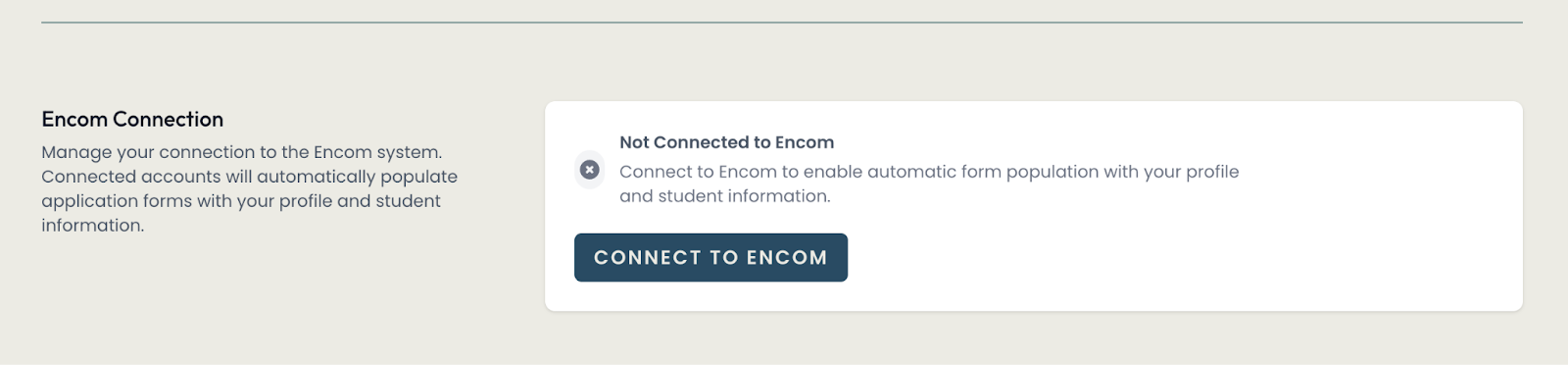
![](https://sophie.onlineschool.ca/uploads/images/gallery/2026-03/embedded-image-hpspa4m0.png)

![](https://sophie.onlineschool.ca/uploads/images/gallery/2026-03/embedded-image-kslcinhu.png)

**General Community parents:** Upon registering an account for the first time, you will receive an email to **verify your email address.**

![](https://sophie.onlineschool.ca/uploads/images/gallery/2026-03/embedded-image-y1pqaiyf.png)

![](https://sophie.onlineschool.ca/uploads/images/gallery/2026-03/embedded-image-ciapvk1v.png)

#####   
HCOS Families

To speed up the application process, we have integrated Encom and Uppli to allow information to flow between the two. The benefit of this connection is that multiple (not all) information fields will be pre-filled, saving parents the need to fill them in manually.

- Students must be actively enrolled or registered at HCOS for the connection to work. When registering in Uppli, use the Login with Encom option to ensure your account is linked.
- If you are unsure which email address is on file, please reach out to <tickets@onlineschool.ca>.

<p class="callout info">At this time, fields that are set up to be pre-populated from Encom include:  
- Student Grade, Educational Support Name and Email (Academic Advisor, Case Manager or Support Teacher, in this order of availability)  
- Any Medical Alert on file (for on-site awareness) - yes/no  
- Any Legal Alert on file - yes/no  
- Parent or Guardian Name, Email, Phone Number and City of Residence</p>

##### General Community

At this time, the Uppli account does not pre-populate application information.

####   
Signing up for an LG Opportunity

<p class="callout info">Before your first application, create your Uppli account. You then need to click on the application link separately. You are not redirected back if you went from a specific application to creating your Uppli account.</p>

<p class="callout warning">It is important to read and complete Learning Group applications correctly; cancellation fee and refund policies vary for each type of opportunity, and the listed ‘Terms and Conditions’ apply.</p>

1. When you open the application link, the information page provides details of the learning opportunity. Please review your calendar to avoid scheduling conflicts.
2. Click on **Apply Now.**
1. HCOS Parents - Please ensure you click the **Connect to Encom** option to have student information pre-populated.
2. General Community Parents - Log in using your email and password set up for your Uppli account.


![](https://sophie.onlineschool.ca/uploads/images/gallery/2026-03/embedded-image-sylsqrdz.png)

![](https://sophie.onlineschool.ca/uploads/images/gallery/2026-03/embedded-image-sa1pikgg.png)

<p class="callout info"> Please note: the application program sees each new email address as a new user.  
- If you are an HCOS student (registered or enrolled), **please choose the Encom sign-in option** each time you sign your family up.   
- If you are a General Community family, please use the **same email address i**n Uppli for each learning camp. </p>

You can then start your application, choosing which applicant you want to sign up first.
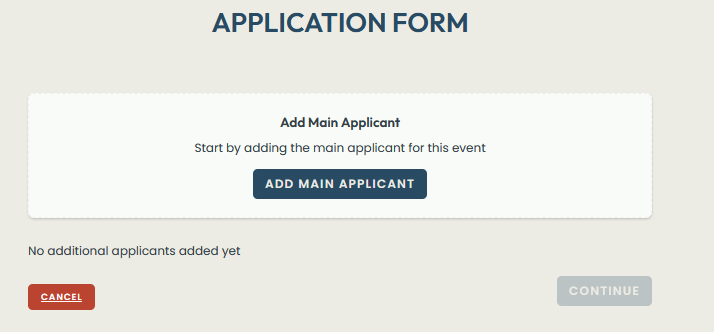
![](https://sophie.onlineschool.ca/uploads/images/gallery/2026-03/embedded-image-dggc03jx.png)

HCOS families with an Encom connection, after choosing “Add Main Applicant” will see the choice of connected participants at the top of the application form.
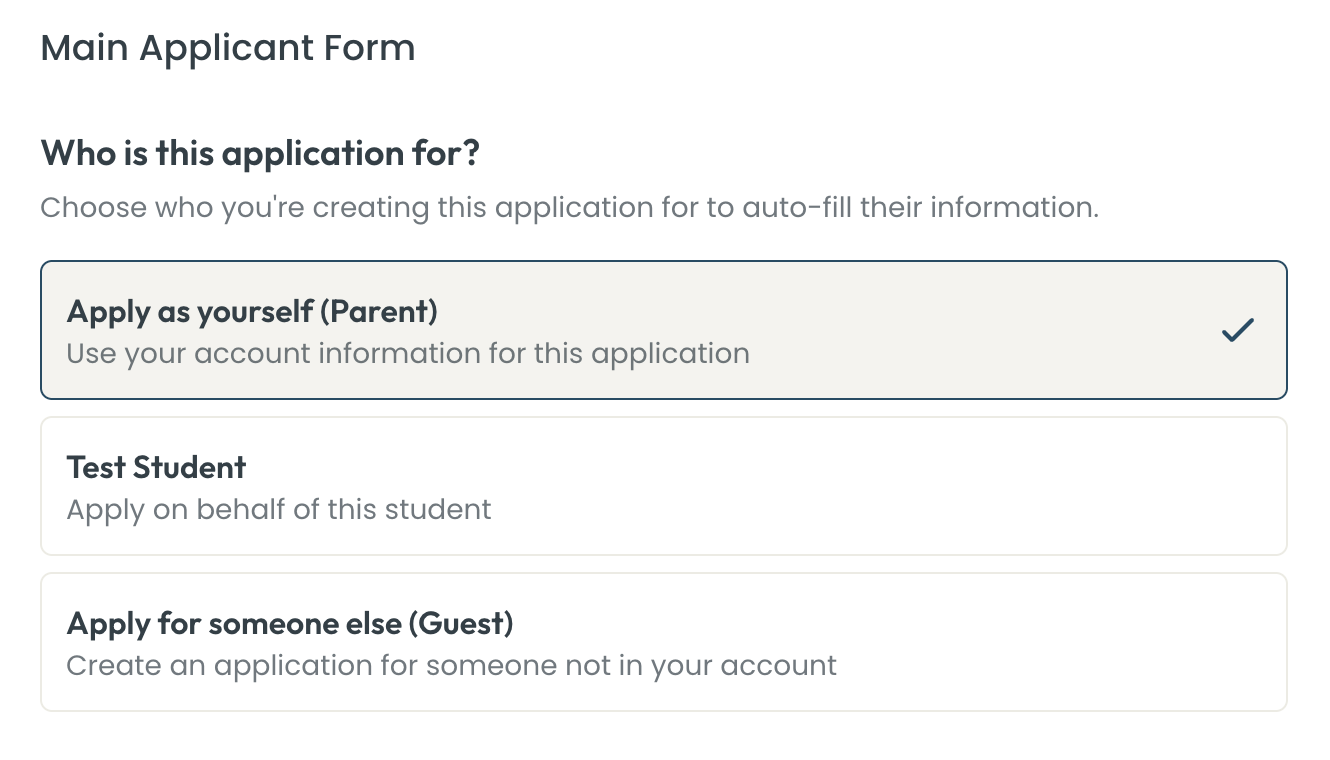
![](https://sophie.onlineschool.ca/uploads/images/gallery/2026-03/embedded-image-1xtozxgk.png)

<p class="callout info"> - If the information is pre-populated, there will still be an opportunity to edit it.  
  
- A red notice for specific questions will indicate any fields that are not filled out correctly, where information is missing or in an incorrect format. Please make corrections in order to proceed.</p>

Once you have signed up your first participant, click “Click Save Main Applicant”. You can “Add Another Applicant” at the bottom of the page, which will open up another participant application form for the next student (or guest).

![](https://sophie.onlineschool.ca/uploads/images/gallery/2026-03/embedded-image-2tckqa4r.png)

When you have added all the participants you wish to apply for, click on “Continue”. You will be provided the opportunity to review your information for each applicant and make any necessary changes. NOTE that once you press Submit or proceed to payment, you will not be able to further edit, but will need to cancel and start over.
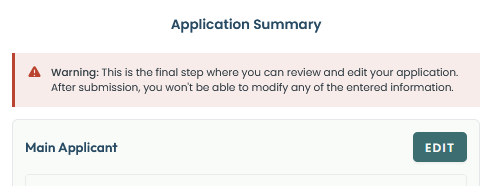
![](https://sophie.onlineschool.ca/uploads/images/gallery/2026-03/embedded-image-as2y2ugx.png)

  
For Learning Camps and Community Connections requiring payment, once answers are reviewed and edited, you can press “Continue to payment”.

For Free Learning camps: Upon pressing Submit, you will see a note indicating that the form has been successfully submitted. You will also receive an email notification of the submitted application, with the Learning Camp information.  
  
![](https://sophie.onlineschool.ca/uploads/images/gallery/2026-03/embedded-image-lsqso7ju.png)

For LG applications created on Uppli, we are pleased to now offer expanded payment options, including credit cards and credit card debit cards.

<p class="callout warning">Please note that credit card information does not remain on file. If funds are not available in Encom to fully cover fees and a balance is outstanding, an invoice will be sent for payment.</p>

##### Payment

Where there is a fee attached to the event as a whole or to sessions, the payment page will provide information per applicant.
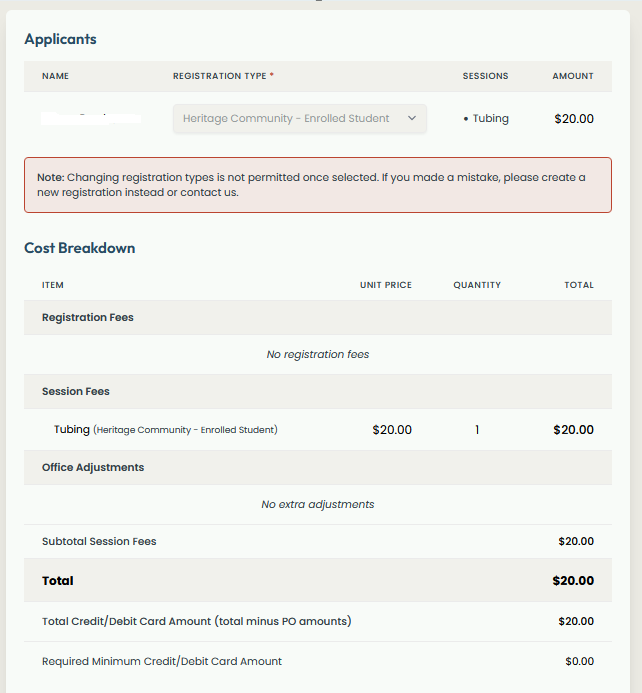
![](https://sophie.onlineschool.ca/uploads/images/gallery/2026-03/embedded-image-chkblti5.png)

When an available payment option, if you wish to use your PO# or IE Funds, where available, you can check off this option. Any eligible participants will then show “Fully pay by PO#”. The amount will show as ‘pending’ until it is processed by the Learning Groups Office.

- PO# or IE funds can be used for students enrolled with HCOS and one chaperoning adult **per family.**

![](https://sophie.onlineschool.ca/uploads/images/gallery/2026-03/embedded-image-djgucaf8.png)

For additional participants who are not being covered by PO or IE funds, an out-of-pocket payment will be required at the time of application.
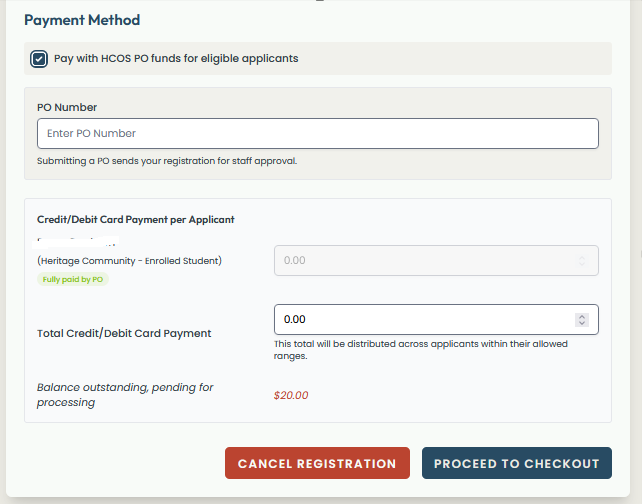
- HCOS Enrolled students who make a partial payment out of pocket, will have any remaining balance processed to available PO Encom/IE school funds, or invoiced to them, if a balance still remains.
- Case-by-case exceptions will be noted for large fee events. ie: overnight trips – a partial out-of-pocket fee will be due at time of application, with the balance remaining processed to available PO Encom/IE funds, or invoiced to them, if a balance still remains.

![](https://sophie.onlineschool.ca/uploads/images/gallery/2026-03/embedded-image-2kgqbqrl.png)

Upon proceeding to checkout, you will be taken to the payment checkout page.  
  
If you have a debit card set up to use with online transactions, you can use it as a payment method (it does need expiry date an CVC number to proceed)
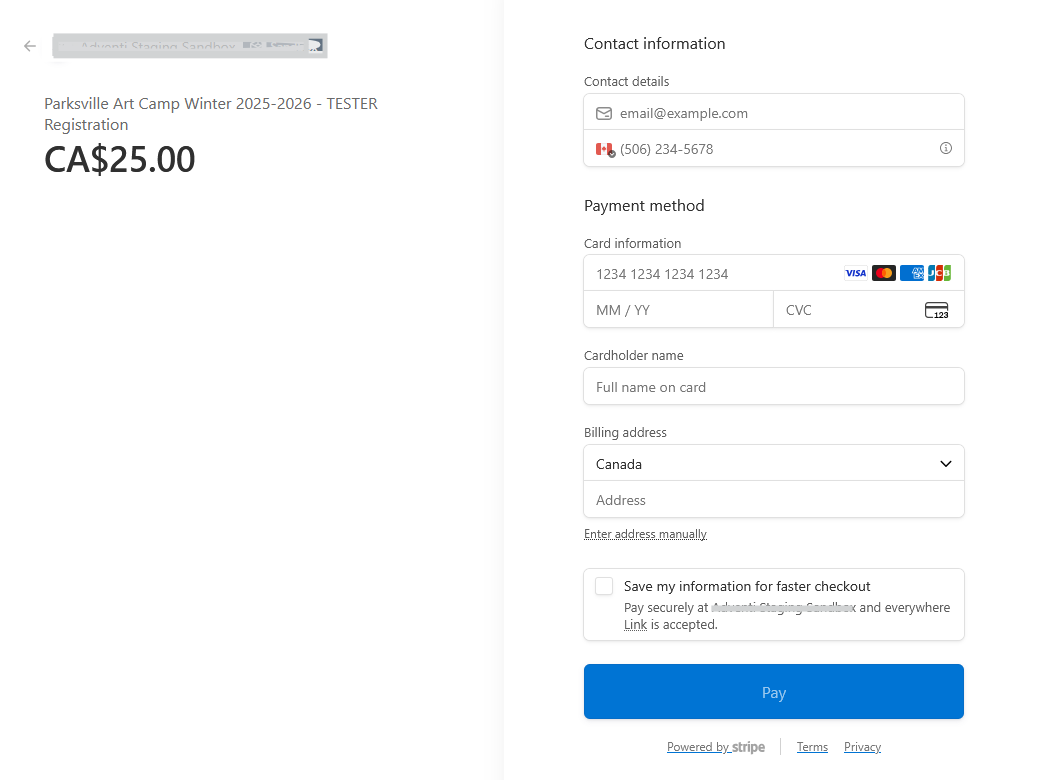
![](https://sophie.onlineschool.ca/uploads/images/gallery/2026-03/embedded-image-4cldoxr7.png)

Upon completion of payment, you will see a note indicating that the form has been successfully submitted and you will receive an email notification of the submitted application with information about the learning opportunity.  
The Learning Group opportunities that you have signed up for can be viewed under “My Events”.

- Information about applied students in each event is a future feature.
- They will be visible until the LG Office archives an event or a withdrawal is processed.

<p class="callout info">Reminder - Submitted applications are not guaranteed seats. A Learning Camp Coordinator or CC Campus Lead will be in touch to provide acceptance and further opportunity-specific information. If we are unable to accommodate your student(s), a full refund will be issued after the deadline.</p>

![](https://sophie.onlineschool.ca/uploads/images/gallery/2026-03/embedded-image-ja7vtzmx.png)

![](https://sophie.onlineschool.ca/uploads/images/gallery/2026-03/embedded-image-g1jsmio3.png)

##### Reminders:

- Signing up for a Learning Groups Opportunity is an application; you will be contacted to confirm your acceptance (usually after the posted deadline).
- HCOS priority is provided; if space permits, General Community students may also be accepted. If we are not able to accommodate your participation, a full refund will be provided.

#####   
Dashboard

By visiting your Uppli account dashboard, you will be able to see:

- Events that your family has applied to
- Where there may be payments that have not been completed or are still pending, a pending payment may be due to:
- HCOS PO#/ IE funds may not have been processed for the specific event (this is normally done following an event deadline)
- You may not have enough Encom funds to cover the full balance, and payment by invoice will be required.
- The original credit card payment did not process correctly
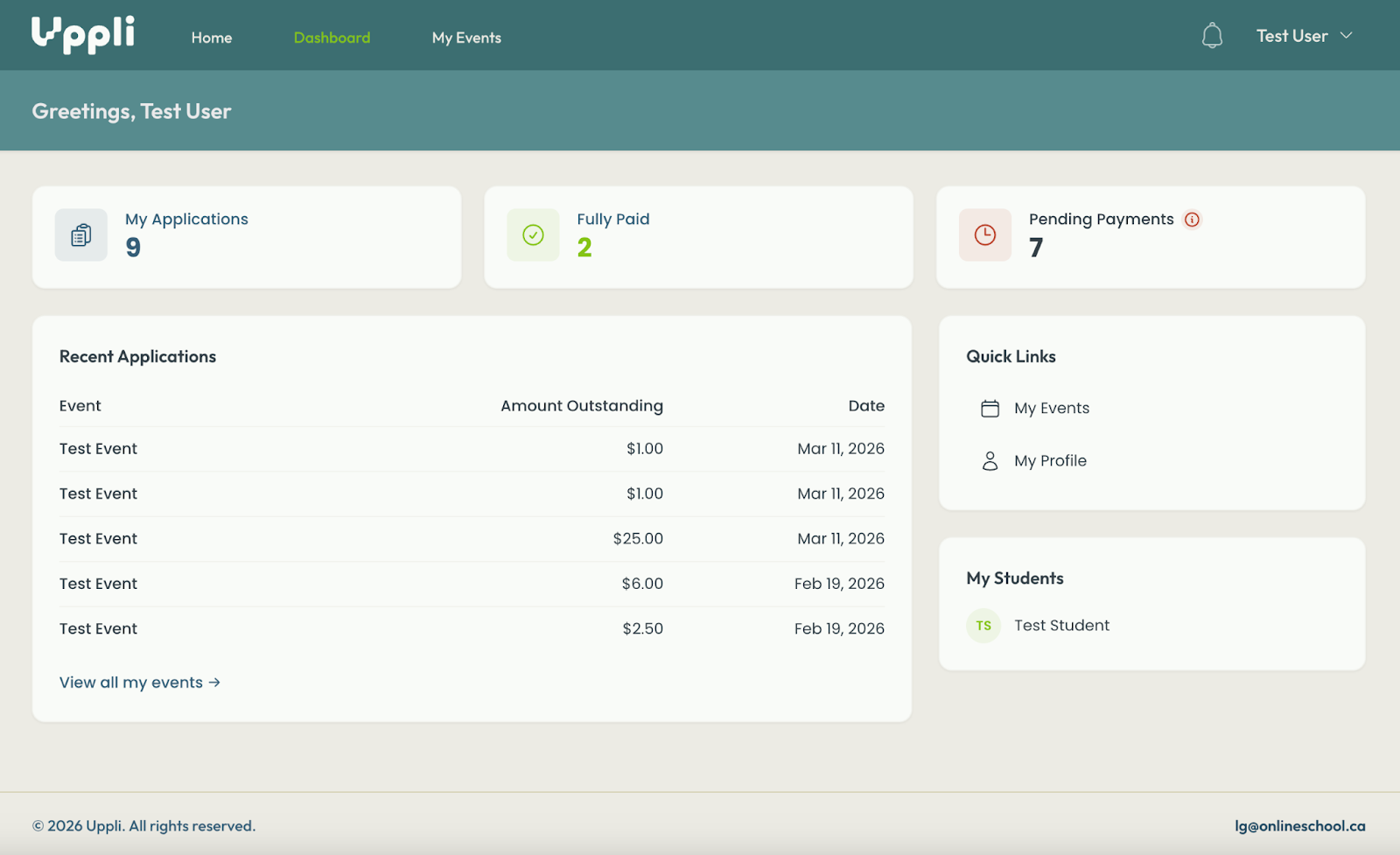

![](https://sophie.onlineschool.ca/uploads/images/gallery/2026-03/embedded-image-3vipbzz8.png)